


ioX-Pulse 1.143.0 is the October release. It brings together the template dashboards and Sign in with Google we covered in the 1.142.6 and 1.142.11 posts, and adds a set of changes for anyone who runs alerts, reports and devices for other people: your logo on PDF reports, alerts that stay with the workspace they belong to, bulk acknowledgement from the device list, and profile workflows your customers can adapt. The full list is in the ioX-Pulse changelog; this post covers what each change does for you.
Your logo on PDF reports
Template dashboards generate PDF reports: compliance reports, tenant statements, well site reports and sustainability reports. You can now upload your logo once under a template dashboard's Settings, and it prints on every report that dashboard generates. If you hand reports to an auditor, a tenant or a client, they arrive under your name rather than as a generic export.
Alerts go to the workspace they are for
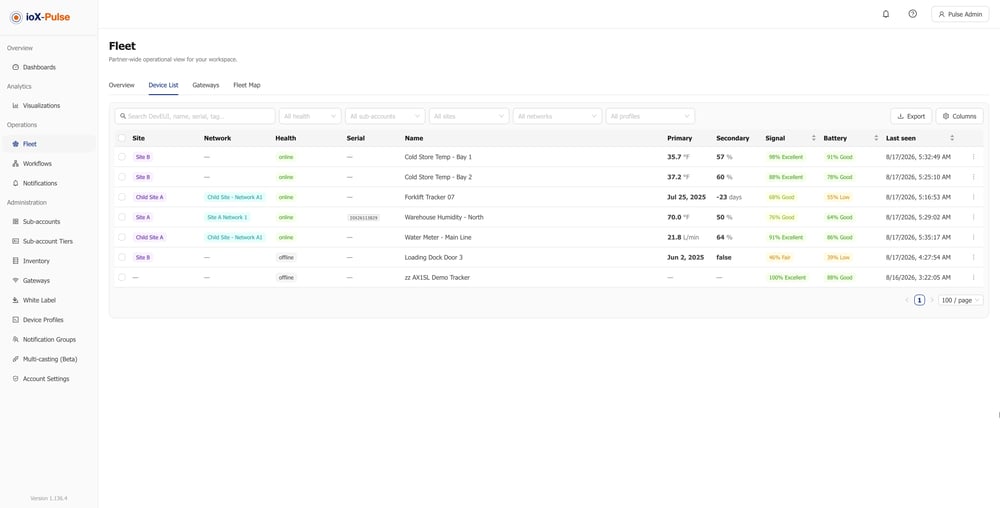
When one workspace serves several customers, an alert should reach the people responsible for that equipment and nobody else. In 1.143.0:
- Your own devices only. Your notifications, fleet alarms and widgets show alerts on your own devices.
- A choice per workflow. Workspace-level authors choose Customers with these devices or Workspace team only for each workflow, and Workspace team only workflows stay out of customers' lists.
- No stray messages. Members are only emailed or texted about equipment they can open.
Acknowledge alerts from the device list
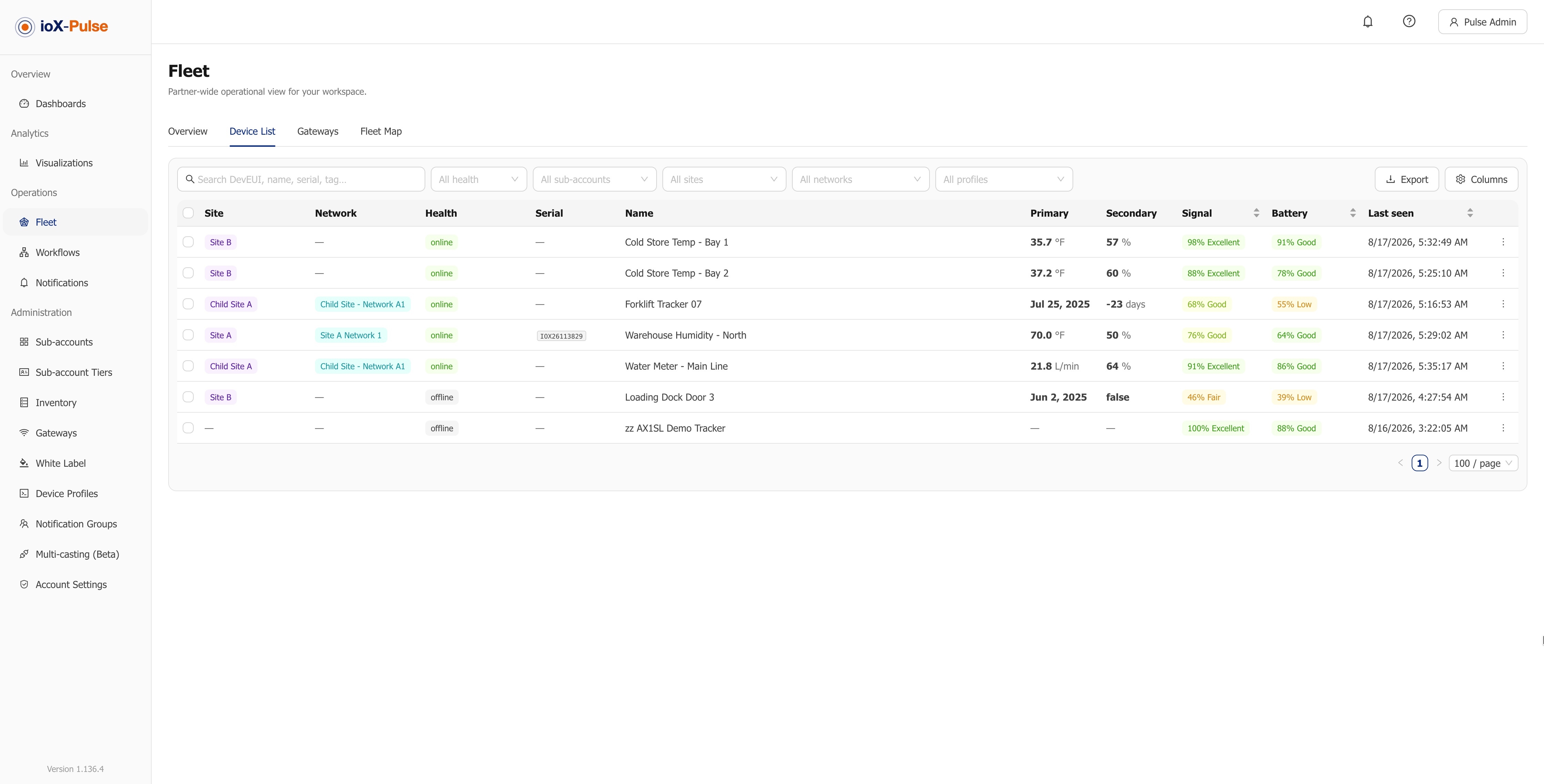
When many devices raise alerts at once, for example after a power cut, you can now tick devices on Fleet and acknowledge every alert on them in one step, instead of opening each device.
Profile workflows your customers can make their own
If you are a partner, a workflow you author on a device profile runs on every customer's devices of that profile. Each customer's Workspace Admin can now change it and save it as their own version, remove it, or switch back to yours. You set a sensible default once; each customer keeps control of the alerts that reach their team.
Device profiles, organized
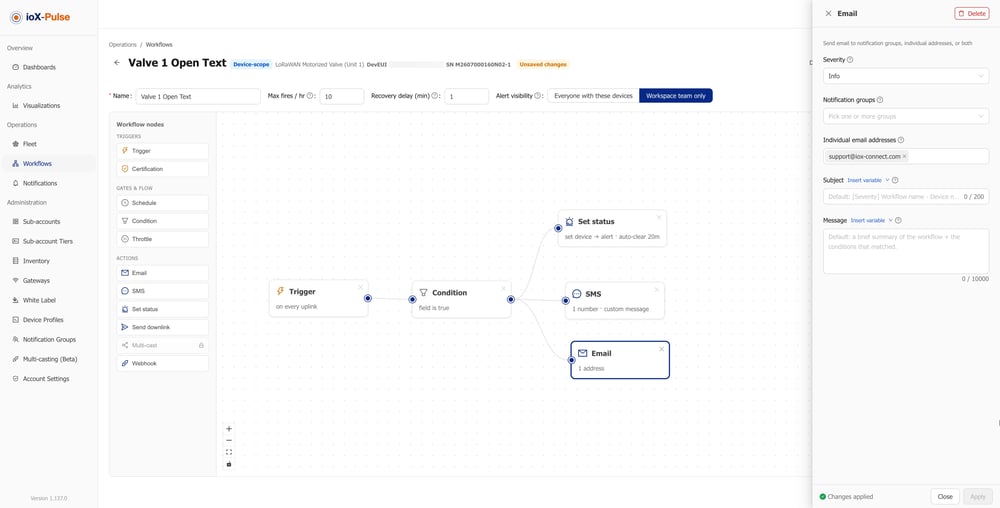
Device profiles gain categories of your own, a connectivity setting on every profile, filters and sorting on the list, and one grouped, searchable profile picker wherever you choose a profile. That helps most when you run many sensor types.
Also in 1.143.0
- Your equipment, your details. Workspace Admins can rename, describe and locate their own gateways, and equipment with no location takes its site's address when it joins the site.
- Readings that are easier to read. Thousands separators wherever a reading is shown, for example 240,964.0 kWh, and the Fleet device list keeps a reading and its unit on one line.
- Toggle and Status widgets follow the device. A Toggle shows a waiting mark until the device reports its new state, and a connectivity Status widget uses the device's own offline threshold, the same one the device list and maps use.
- Battery type up front for RF sensors. Set at registration and shown in Inventory, so the battery percentage works from the first report.
- Multi-casting is out of Beta.
- Report emails show the real counts. The Well Site daily email and the Facility monthly email read the finished report and name what needs attention.
Frequently asked questions
What is new in ioX-Pulse 1.143.0?
October's release adds your logo on template dashboard PDF reports, alert visibility per workspace, bulk alert acknowledgement from the Fleet device list, profile workflows that customers can adapt, and organized device profiles. It also includes the template dashboards and Sign in with Google released earlier in October.
How do I put my logo on ioX-Pulse reports?
Upload it once under a template dashboard's Settings. It prints on every PDF report that dashboard generates.
Will my customers see alerts from my own team's workflows?
Not if you choose Workspace team only for that workflow. Those workflows stay out of customers' lists, and members are only emailed or texted about equipment they can open.
Can a customer change a workflow I set up on a device profile?
Yes. A customer's Workspace Admin can change it and save it as their own version, remove it, or switch back to yours.
See it on your own data
ioX-Pulse is the IoT monitoring platform in the ioX-Connect suite. You can see ioX-Pulse plans, read more about what ioX-Pulse does, or talk to an IoT specialist about your sites. The complete release history is in the changelog.