Pull it, or have it pushed

IoT Platform API and Webhooks

IoT platform API | IoT webhooks
Pull it, or have it pushed

Your Data, in Your Own Systems

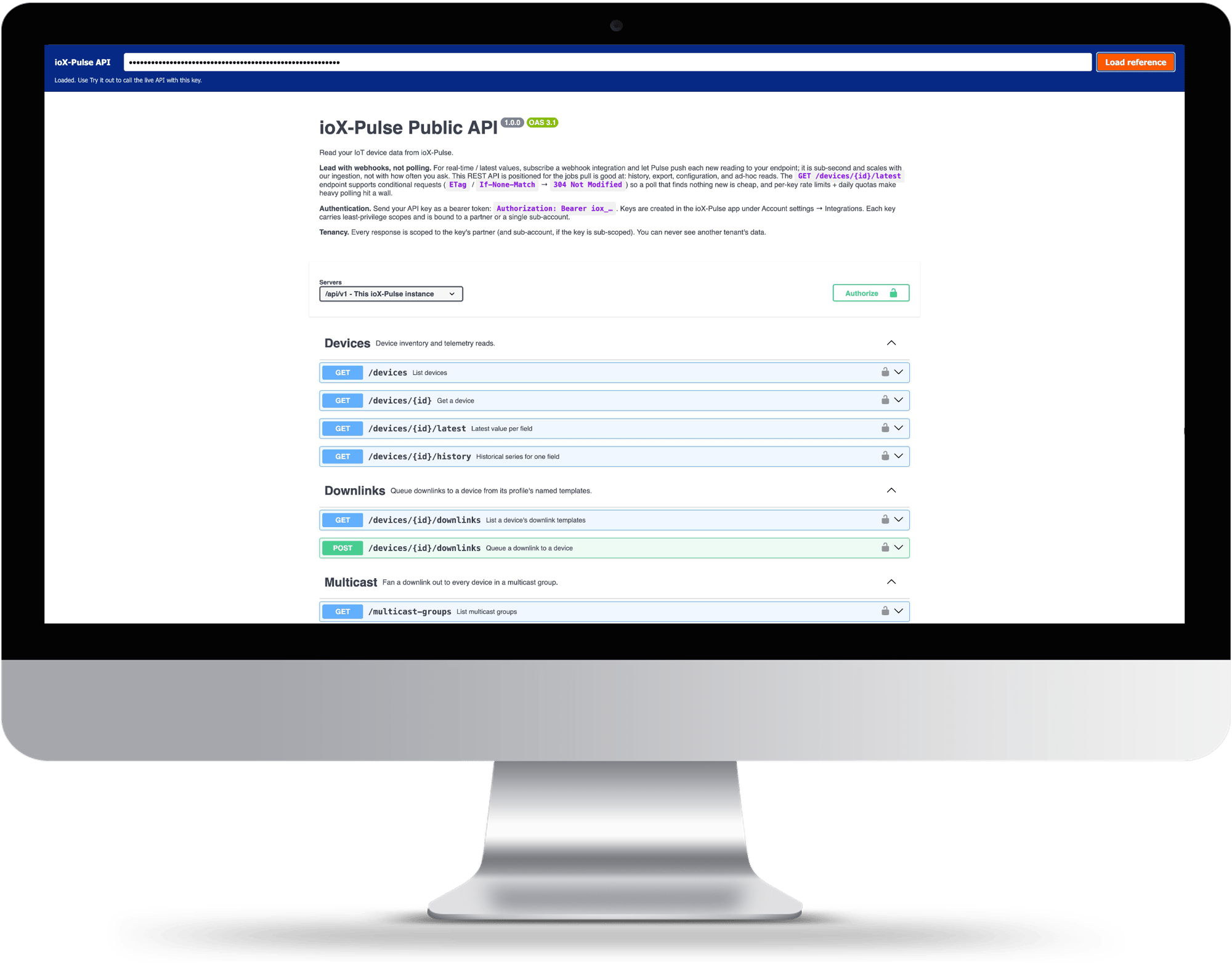
ioX-Pulse has a versioned REST API under /api/v1, served from the same domain you sign in to, with a browsable interactive reference and an OpenAPI description you can generate a client from. Read devices, latest values and history, send downlinks, manage sites, networks and sub-accounts.

For anything that needs to be current rather than requested, webhooks push each event to a URL you choose as it happens: a decoded reading, a device going quiet, an alarm opening or clearing. Every delivery is signed, retried on a published schedule, and recorded in a log you can read.

  • A versioned REST API with an interactive reference and an OpenAPI description
  • Keys scoped to exactly what an integration needs, shown once and stored hashed
  • Signed webhook deliveries you can verify, with the algorithm published rather than described
  • A retry schedule you can plan around, and a delivery log you can read
  • Endpoints that cover the operational surface, not just a read-only export
  • Rate limits published with the headers a well-behaved client needs to stay under them

Ask, or be told

Pull With the API, Push With Webhooks

Two ways to get data out, and they are complements rather than alternatives. Most integrations end up using both.

PULL

The REST API

Your application asks when it needs something.

History Exports Scheduled reports Ad-hoc reads Sending commands to devices
PUSH

Webhooks

ioX-Pulse sends each event to your endpoint as it arrives. Anything that has to be current.

Live values Alarms A device going quiet

The rule of thumb is that anything needing the latest value in real time belongs on a webhook, and anything needing a range or a report belongs on the API. Polling an API on a short timer to simulate a push is the pattern that gets you rate limited.

RULE OF THUMBReal time is a push. A range is a pull.
Some of our customers

Trusted by teams monitoring critical infrastructure

Tomra Full logo
ProFrac Logo
FTSI-logo
Consulmet logo
pacific_northwest_national_laboratory
Axium Logo
Urban Property Management_Logo
NetLink-logo-final
Cosway
USWS_BIG
Filtrine
Colt Energy
Northern Michigan University_Logo
WLS Lighting Logo

Least privilege by default

API Keys, Scoped to the Job

Every request carries a key as a bearer token. Keys are created in the app, named so you can tell them apart later, and scoped to exactly what the integration needs rather than to everything you can do.

  • Grant only the scopes an integration uses, so a reporting job cannot send a command to a device
  • Set an expiry, or leave it open for a key that does not expire
  • The full key is shown once at creation. Only a hash is kept, so it cannot be shown again; lose it and you revoke and reissue
  • A key issued inside a customer account is bounded by that account and by its tier as well as yours

The shown-once behavior is worth stating plainly rather than hiding. It is mildly inconvenient and it is the correct design, and a developer reading it concludes that whoever built this has thought about credentials properly.

LEAST PRIVILEGEA key can only do the one job it was made for.

Bring a payload you already have

Try It With Your Own Payload

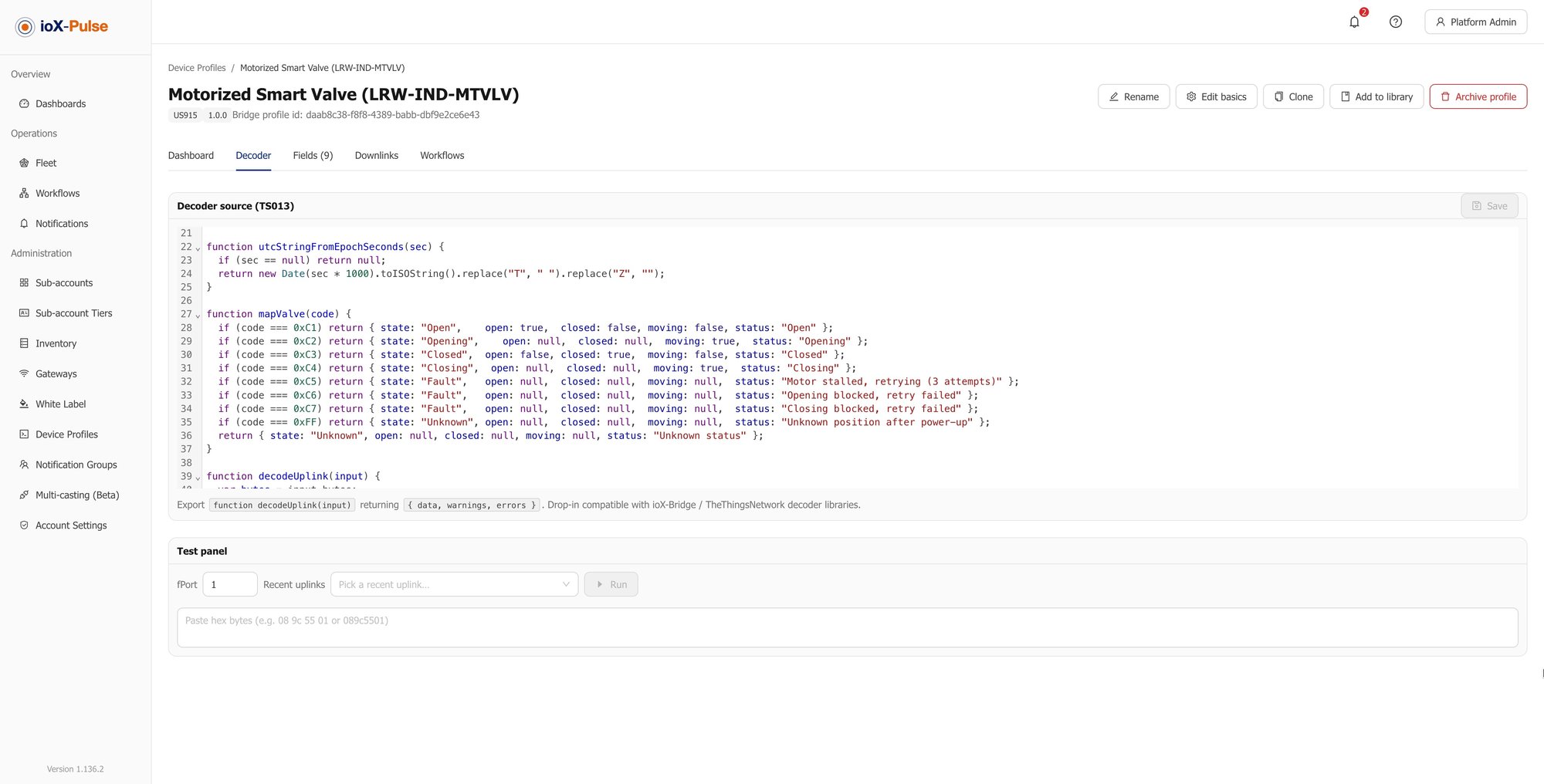
The fastest way to know whether this works for your hardware is to run one of your own uplinks through the decoder test panel.

Read the Reference

The interactive reference lists every endpoint with its parameters and responses, and there is an OpenAPI description you can point a client generator at. A free trial takes a card but does not charge it, and gives you a key to try it with.

Start Your Free Trial

Pushed as they happen

What Gets Pushed, and When

Register an HTTPS endpoint, choose the events you care about, and optionally filter to a subset of devices so a webhook built for one customer does not receive the whole fleet.

Event Fires when
A reading is ingested A decoded uplink arrives. The payload carries the decoded values keyed by field identifier, so you get named readings rather than raw bytes.
A device goes quiet A device passes its offline threshold. The payload names when it was last heard from and what the threshold was.
A device reports again A device that was offline comes back.
An alarm opens or changes level A rule enters an alert state, or moves between levels. The payload names the rule and both the new and previous level.
An alarm clears An alert state clears, with the reason recorded.
WHY IT MATTERSEvery payload arrives named and in context, so your endpoint does not have to guess what it just received.

What happens when it fails

Signatures, Retries and Dead Endpoints

Deliveries are sent by a background worker, so they arrive within about a minute rather than in the same instant, and your endpoint should answer quickly and do the slow work afterward.

Behavior What it means for you
Every delivery is signed Each webhook has its own signing secret, and each request carries a timestamp and an HMAC-SHA256 signature over that timestamp and the raw body. Verify it before trusting the payload. The algorithm is published, not merely asserted.
Failures are retried on a schedule A failed delivery is retried immediately, then after thirty seconds, then five minutes, then thirty. After the last attempt it is marked failed rather than retried forever. immediate 30s 5m 30m
A dead endpoint gets switched off After repeated consecutive failures the webhook is disabled automatically, so a broken receiver stops generating traffic. Re-enable it once your endpoint is healthy and the failure count resets.
Retries can duplicate Each delivery carries a unique id so you can recognize one you have already handled. Make your receiver idempotent; anything that retries will eventually deliver twice.
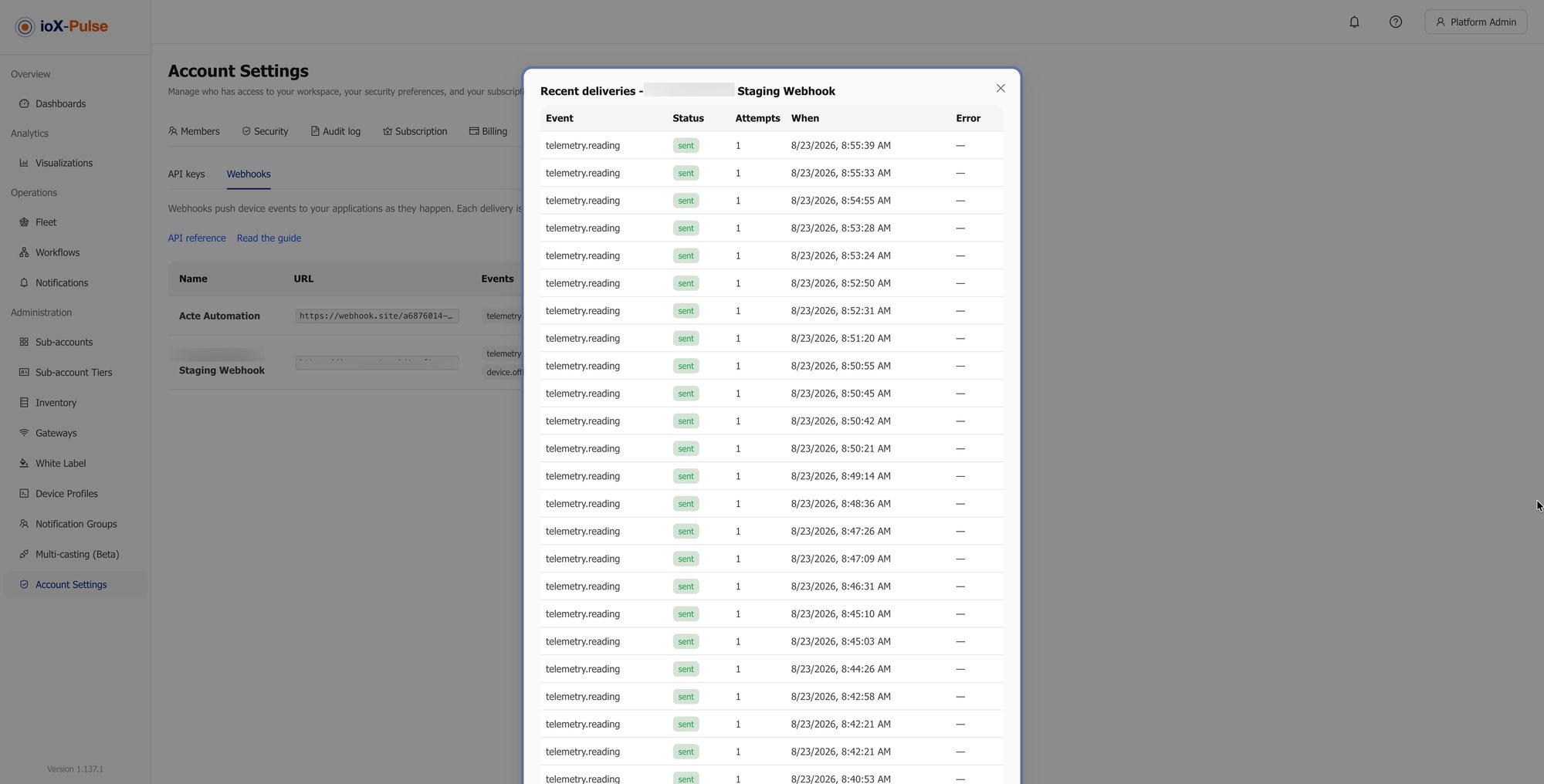
There is a delivery log You can see what was sent and what came back, rather than guessing from your own side of the connection.
The webhook delivery log, showing each attempt and the response that came back.
The delivery log shows both halves of the exchange. What was sent, and what your endpoint answered.

Two things the platform will not do: deliver to a plain HTTP URL, and deliver to an address that resolves somewhere internal, such as a private range, loopback or a cloud metadata endpoint. Both are checked when you save the webhook and again at delivery time.
THE POINTEvery platform claims webhooks. Fewer publish what happens when yours stops answering.

Published, not discovered

Rate Limits

Two limits apply to a key: a short-term ceiling on requests per minute, and a longer daily quota. Both are set by your plan, and a key issued inside a customer account is held to the lower of that account's limit and yours.

PER MINUTE

A short-term ceiling

Caps how fast a key can call. This is the one a tight polling loop runs into first.

0PER-MINUTE LIMIT
PER DAY

A longer daily quota

Caps total volume over the day, set by your plan alongside the per-minute ceiling.

0DAILY QUOTA

Go over, and you are told exactly how long to wait

Exceed the per-minute ceiling and you get a 429 with a Retry-After header. Every response also carries headers showing your limit and what is left of it, so a well-written client can slow down before it hits the wall rather than after.

429 Too Many Requests Retry-After X-RateLimit-Limit X-RateLimit-Remaining
NO GUESSWORKThe limits are published and every response tells you where you stand against them.

More than reporting

Building Your Own Portal on Top

Most IoT platform APIs are read-only exports dressed up as integration. This one is not, and the difference shows in three places.

Control

Send commands, not just read state

An application built on the API can act on devices rather than only report on them.

Identity

Validate a member sign-in

Your own front end can authenticate people against ioX-Pulse instead of you running a second identity system.

Provisioning

Manage sub-accounts and members

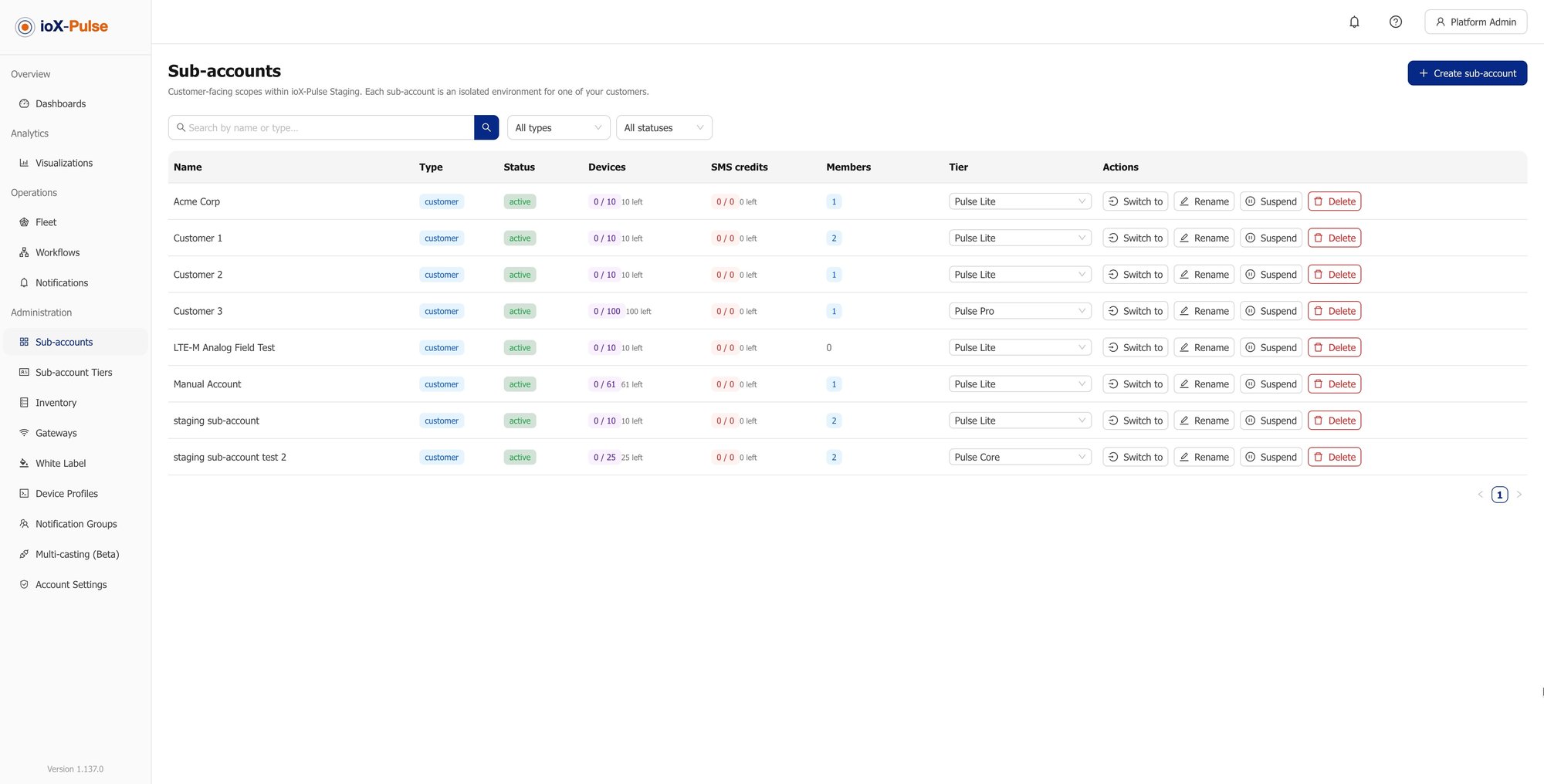
Onboarding a customer can happen in your own system and appear here.

If what you want is your own brand on our interface rather than your own interface, that is a settings page rather than a development project, and it is worth reading about white-label before you commit an engineering team to this.

THE DISTINCTIONRead-only APIs let you report. This one lets you build.
Answers to the questions we get most

Common Questions About the ioX-Pulse API

If your question is not here, email sales@iox-connect.com and you will get a straight answer

Yes, a versioned REST API under /api/v1, served from the same domain you sign in to, with an interactive reference and an OpenAPI description you can generate a client from. It covers devices, latest values and history, gateways, device profiles, downlinks, multicast groups, sites, networks, sub-accounts and members.

Use webhooks for anything that needs the current value or an immediate reaction, and the API for history, ranges and reports. Polling an API on a short timer to imitate a push is the pattern most likely to hit a rate limit, and it is slower than the push it is imitating.


Each webhook has its own signing secret, and every delivery carries a timestamp and an HMAC-SHA256 signature computed over that timestamp and the raw request body. Recompute it with your secret and compare before trusting the payload. Deliveries are only ever made over HTTPS.


The delivery is retried immediately, then after thirty seconds, five minutes and thirty minutes. After the final attempt it is marked failed. If your endpoint keeps failing across many deliveries the webhook is disabled automatically so it stops generating traffic, and you re-enable it once you are healthy again.


Both. You can list a device's downlink templates and send one, and you can execute a multicast group, so an application built on the API can act on the fleet rather than only report on it.


Yes. Alongside the data endpoints there is one to validate a member sign-in, so your application can authenticate people against ioX-Pulse rather than running a separate identity system. If you only want your own branding on the existing interface, that is a settings page rather than a build.


Your first call this week

Ready to Build Against It?

Start a free trial, create a scoped key, and make your first call against your own data. Or tell us what you are integrating with and we will tell you which endpoints you need.

IoT Alerts and Workflows | ioX-Pulse | ioX-Connect

IoT Alerts and Workflows

LoRaWAN Payload Decoders & Device Profiles | ioX-Pulse

Device Profiles and Payload Decoders

Multi-Tenant IoT Platform | ioX-Pulse | ioX-Connect

Multi-Tenant IoT Platform