IoT Sites and Networks
Organize a Fleet the Way Your Operation Is
A few dozen devices can live in a list. A few hundred cannot, and by then the names people invented in the first month have stopped meaning anything. ioX-Pulse gives equipment two kinds of structure: sites, for where something physically is, and networks, for what belongs together.
They are not alternatives. A site is a place, arranged as a hierarchy you build to match the actual buildings. A network is a group, which may be a floor's worth of equipment or a logical cluster that has nothing to do with geography. Most operations end up using both, and the platform keeps them consistent with each other rather than leaving you to.
- A location hierarchy of campus, building and floor, built to match your estate rather than ours
- Groups you define, so a filter gets you a floor's equipment or a customer's cluster in one click
- Every reading records the site it was taken at, so history stays correct when equipment moves
- Equipment in a group takes its location from the group, so the two structures cannot drift apart
- Somebody can be restricted to a site and see their own location and below, never above it
- Attach equipment in bulk from a device list rather than one record at a time
Campus, building, floor
Sites: Where Equipment Physically Is
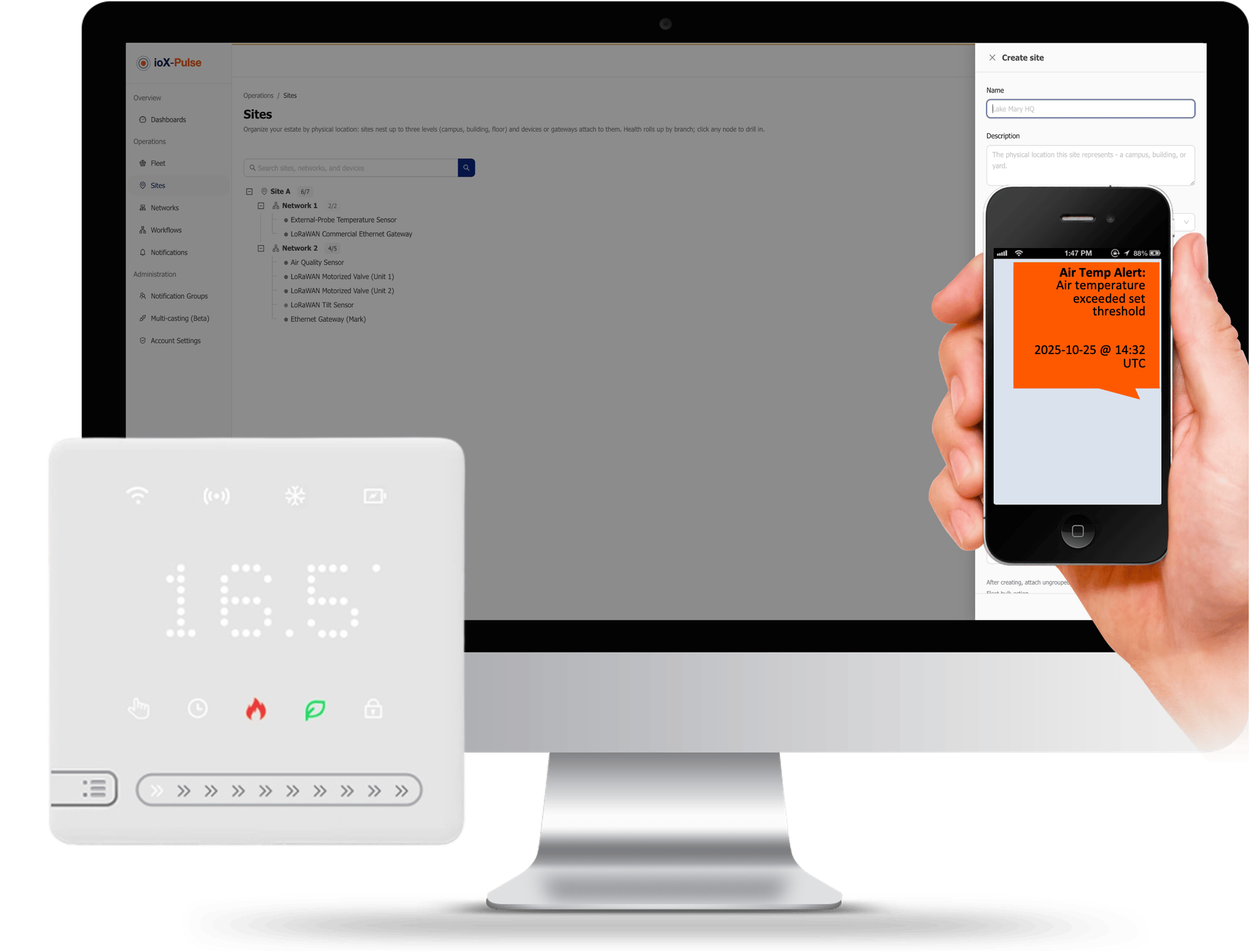
A site is a physical location, and sites nest: a campus contains buildings, a building contains floors. Devices and gateways attach to whichever level is the right one for them, so a rooftop gateway can sit at the building while the sensors sit on the floors beneath it.
Equipment attaches at the level that actually describes where it is.
- Watch the health of a whole location at a glance rather than assembling it from a device list
- Equipment can inherit its coordinates from the site it is attached to, instead of somebody entering a position per device
- Attach equipment in bulk from the device list, from a site's own page, or one at a time from the record itself
Sites are a plan feature and they are off until switched on. If you deliver monitoring to customers, you decide which of them get the capability rather than everyone having it by default.
Trusted by teams monitoring critical infrastructure

A group, not a radio network
Networks: What Belongs Together
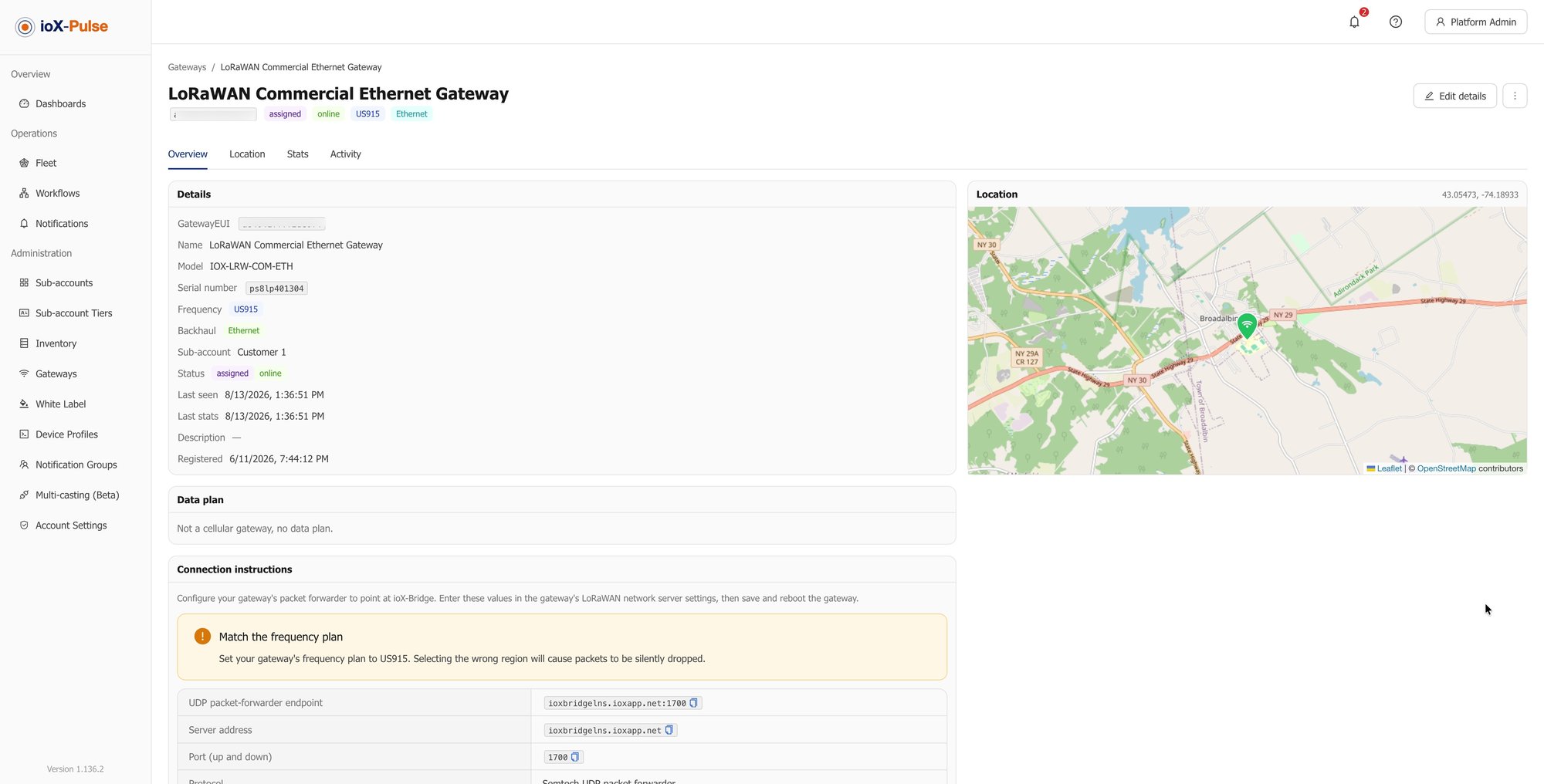
A network here is a named group of your devices and gateways, not the LoRaWAN radio network itself. It is the label you put on equipment that belongs together.
- Filter a device or gateway list down to one group in a click, which is how most people use them day to day
- Each group counts its own devices and gateways, so it doubles as a rough roll-up for reporting
- A piece of equipment belongs to one group at a time, and adding it to another moves it rather than duplicating it
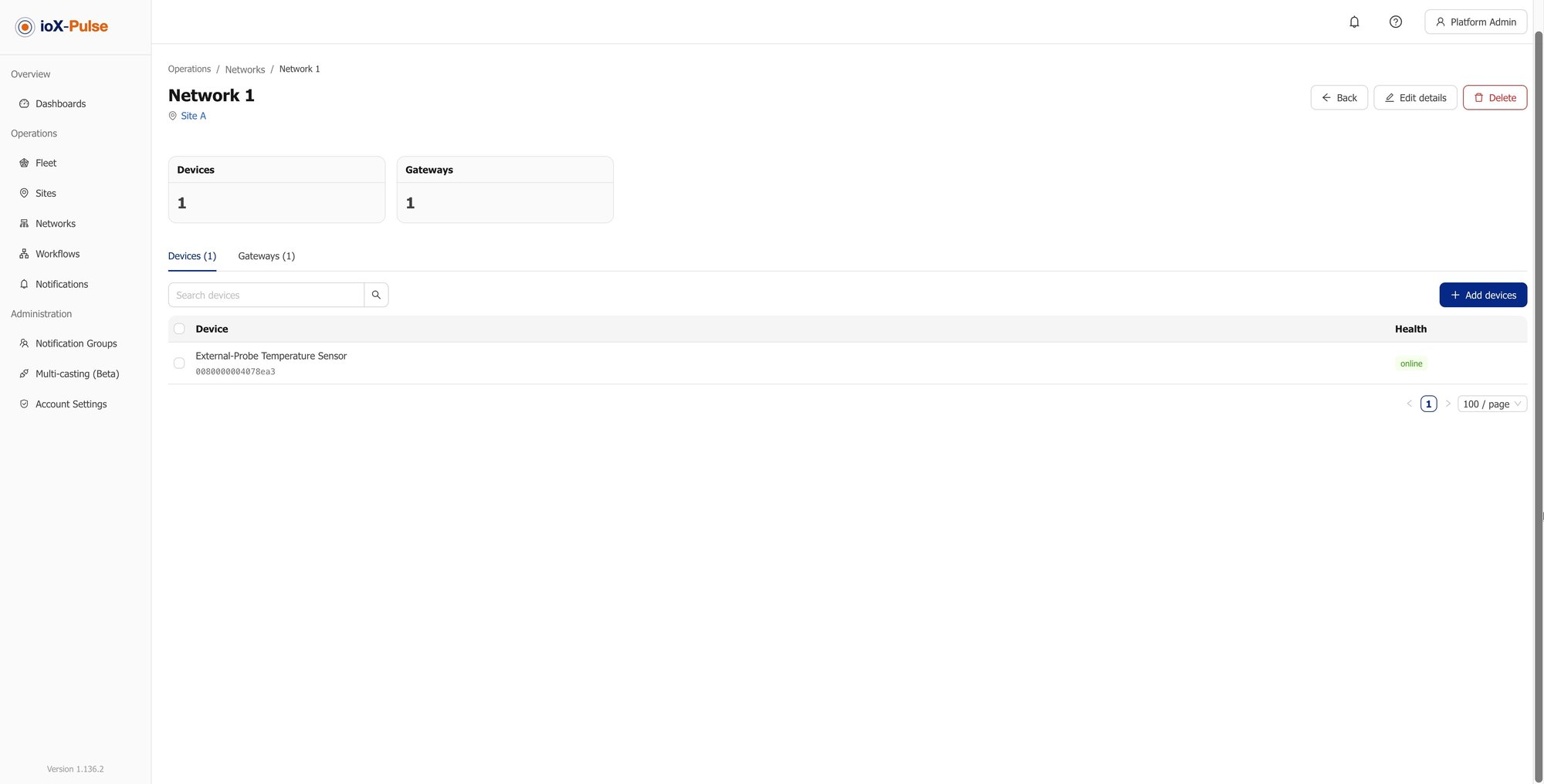
A group can also belong to a site, and when it does, everything inside it takes that site automatically. That is what stops the two structures contradicting each other.
Bring a Gateway Online
Try It With Your Own Payload
The fastest way to know whether this works for your hardware is to run one of your own uplinks through the decoder test panel.
Map Your First Site
A free trial takes a card but does not charge it. Build a site, attach a handful of devices to it, and see what a fleet looks like when it has a shape.
Start Your Free TrialThe part that matters later
Readings Remember Where They Were Taken
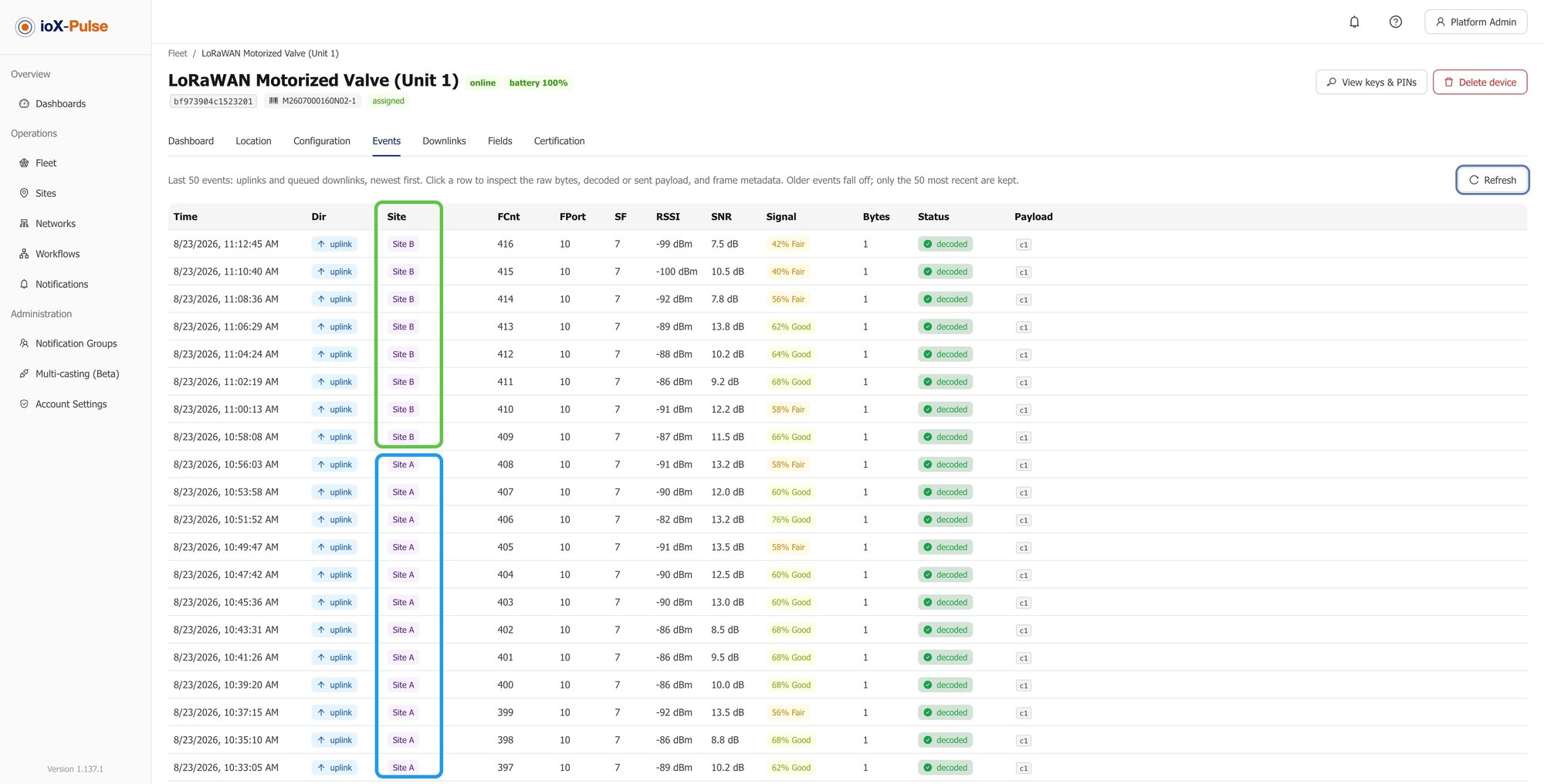
Equipment moves. A sensor is pulled from one building and redeployed in another, a spare goes out to cover a failure, a whole rollout is reorganized. On most platforms the readings are attributed to wherever the device is now, so moving it quietly rewrites its history.
In ioX-Pulse each reading records the site the device was at when it arrived. Move the device and last year's data still says where it was measured.
The site appears alongside the reading itself, so anybody looking at a device's history can see the move rather than having to remember it.
Nobody asks about this during an evaluation. It is the sort of thing you discover eighteen months later, when a report covering two locations turns out to have been counting them as one.
The older readings keep the site they were measured at.
Hard to break by accident
Why the Structure Stays Consistent
Two structures over the same equipment could easily contradict each other, with a device in a building group and attached to a different building. The platform does not allow it.
| Rule | What it prevents |
|---|---|
| Equipment in a group takes the group's siteENFORCED | Its location is shown as read-only, with a note saying it follows the group. To change it you move the group, or take the equipment out of it first. |
| Equipment can only join a group at the same siteENFORCED | The pickers only offer groups that match, so you cannot put a device from one building into a group belonging to another. |
| Equipment with no site yet can join any groupENFORCED | And takes on that group's site, which is what makes bulk organizing quick rather than a sequence of separate decisions. |
One site, not the whole fleet
Limiting Someone to Their Own Site
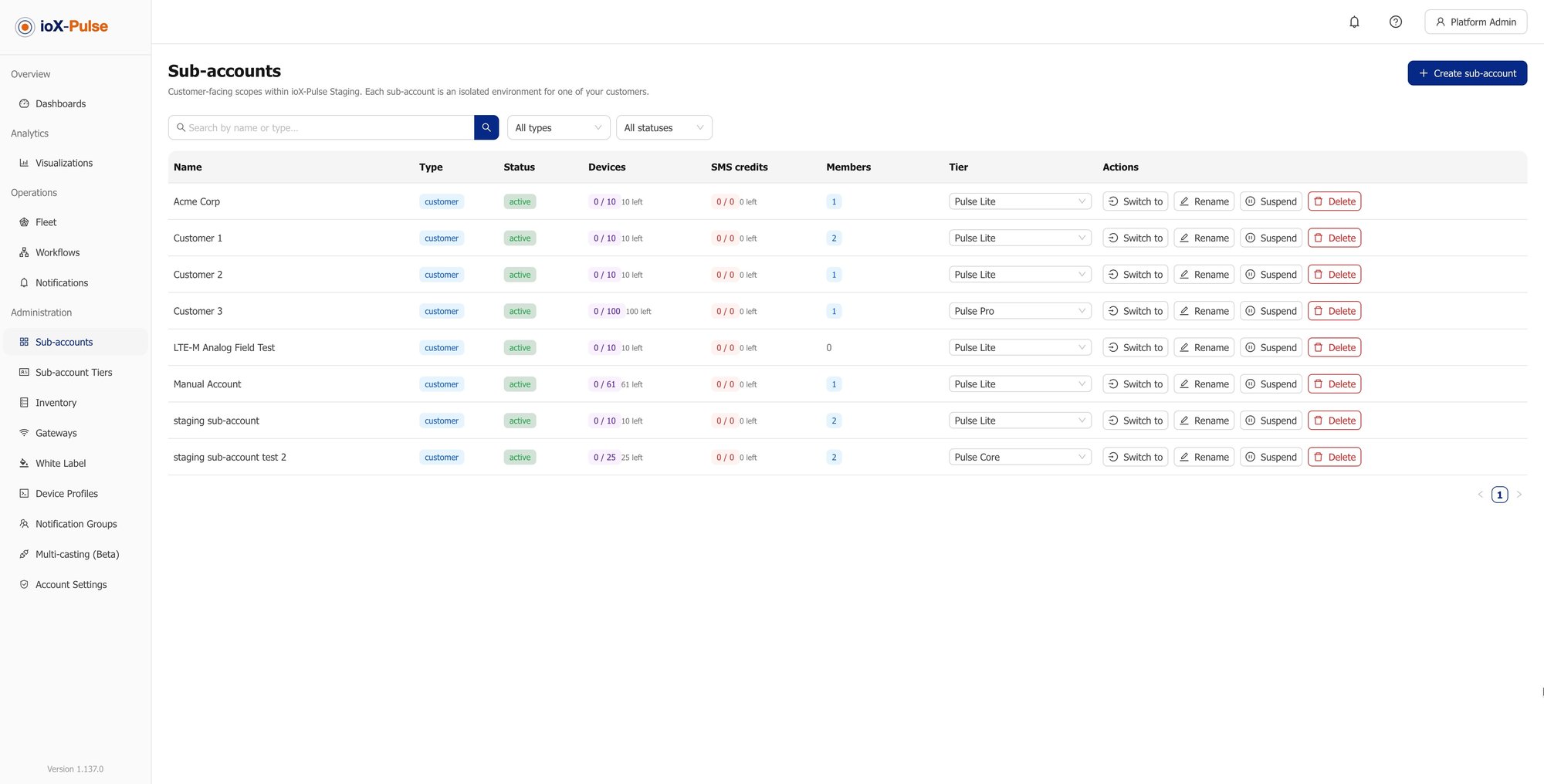
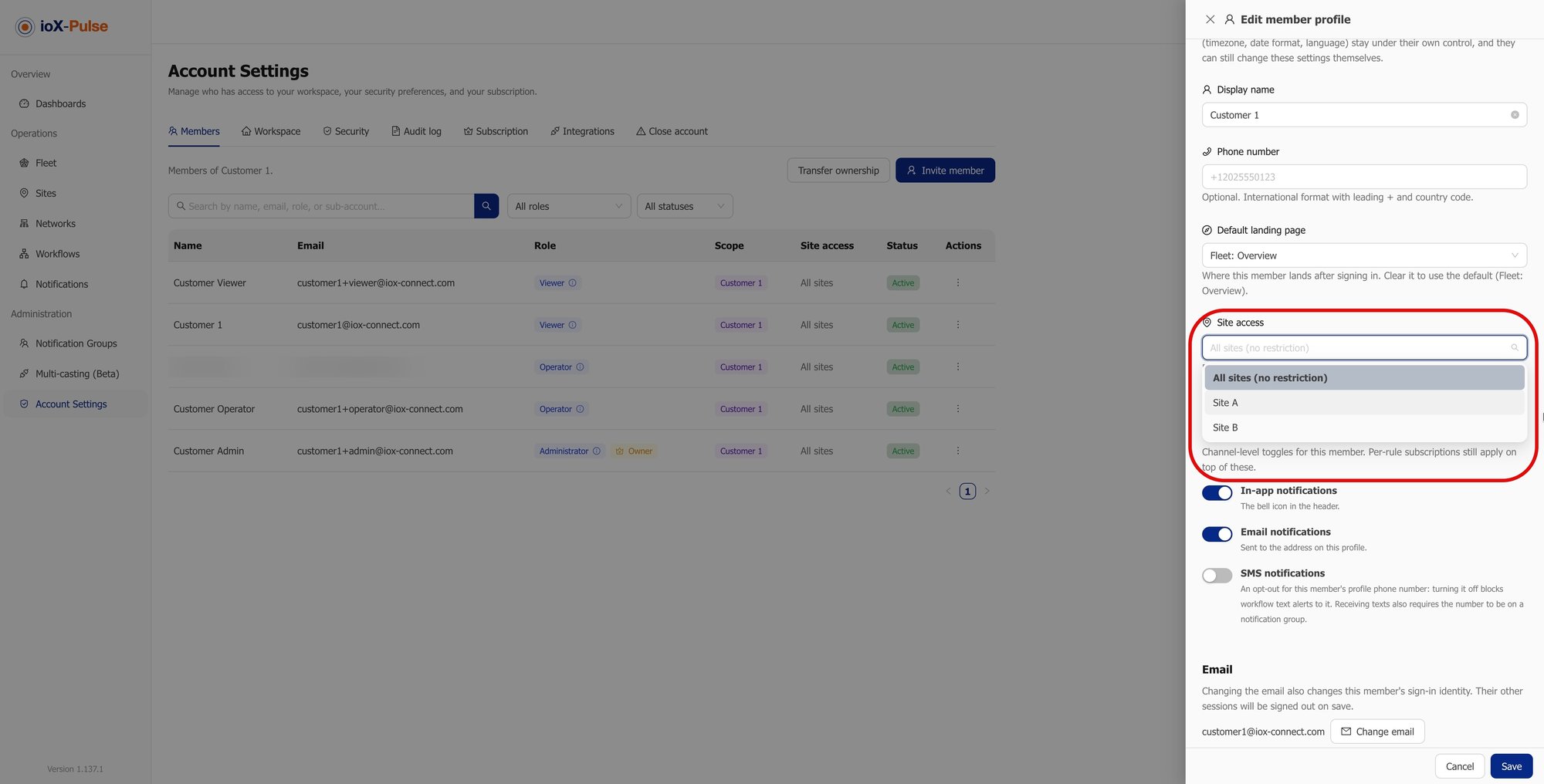
A site manager usually needs their own location and nothing else. Restrict a member to a site and that is what they get: their own site and anything beneath it in the hierarchy, never anything above it.
It follows through the rest of the product rather than stopping at a device list. A dashboard linked to a site is visible to the people at that site and at any site above it, and somebody restricted to a floor does not see a dashboard built for the campus.
The restriction narrows what a person can reach; it never widens it.
Their own site and everything beneath it. Never the level above.
The honest version
Naming Conventions Against Real Structure
Most fleets organize themselves through device names, because that is what you can do when the platform offers nothing else. Here is the same work, done both ways.
| The job | Names and a spreadsheet | With ioX-Pulse |
|---|---|---|
| Finding one building's equipment | Search for whatever prefix somebody chose in month one | Filter by the site or the group |
| Health of a whole location | Add it up yourself | Look at the site |
| A device moving between buildings | Rename it, and hope the history is not now wrong | Reattach it; past readings keep the site they were taken at |
| Giving a site manager access | All of it, or none of it | Restrict them to their site and below |
| Coordinates for a new device | Type them in per device | Inherit them from the site |
| Reorganizing after a rollout | Rename everything | Move a group; its equipment follows |
| Keeping two people's naming conventions in step | Good luck | There is nothing to keep in step |
Common Questions About Sites and Networks
If your question is not here, email sales@iox-connect.com and you will get a straight answer
A site is a physical location, arranged as a hierarchy of campus, building and floor. A network is a named group of devices and gateways that belong together, which may match a location or may be entirely logical. A group can belong to a site, and when it does, everything in it takes that site automatically.
No, and the shared word causes real confusion. In ioX-Pulse a network is a grouping label you create. The LoRaWAN network is the radio side, handled by the network server underneath the platform. Grouping equipment does not change how it connects or which gateways carry it.
Three levels: a campus containing buildings containing floors. Equipment attaches at whichever level is right for it, so a rooftop gateway can sit at the building while sensors sit on the floors.
Nothing is rewritten. Each reading records the site the device was at when it arrived, so history stays attributed to where it was actually measured, and the site is visible alongside the readings themselves.
Yes. A member restricted to a site sees that site and anything below it in the hierarchy, and never anything above. It applies through the product rather than only to a device list, so a dashboard built for a whole campus is not visible to somebody limited to one floor of it.
No. Plenty of operations use groups alone for filtering and never build a site hierarchy. Sites earn their place when you have more than one location, when coordinates matter, or when you need to give somebody access to one place and not the rest.
Your fleet organized this week
Ready to Give Your Fleet a Shape?
Start a free trial and build one site with real equipment in it, or tell us how your estate is laid out and we will show you how it would map.