LoRaWAN Device Provisioning and Downlinks
Two Numbers, and the Device Joins Itself
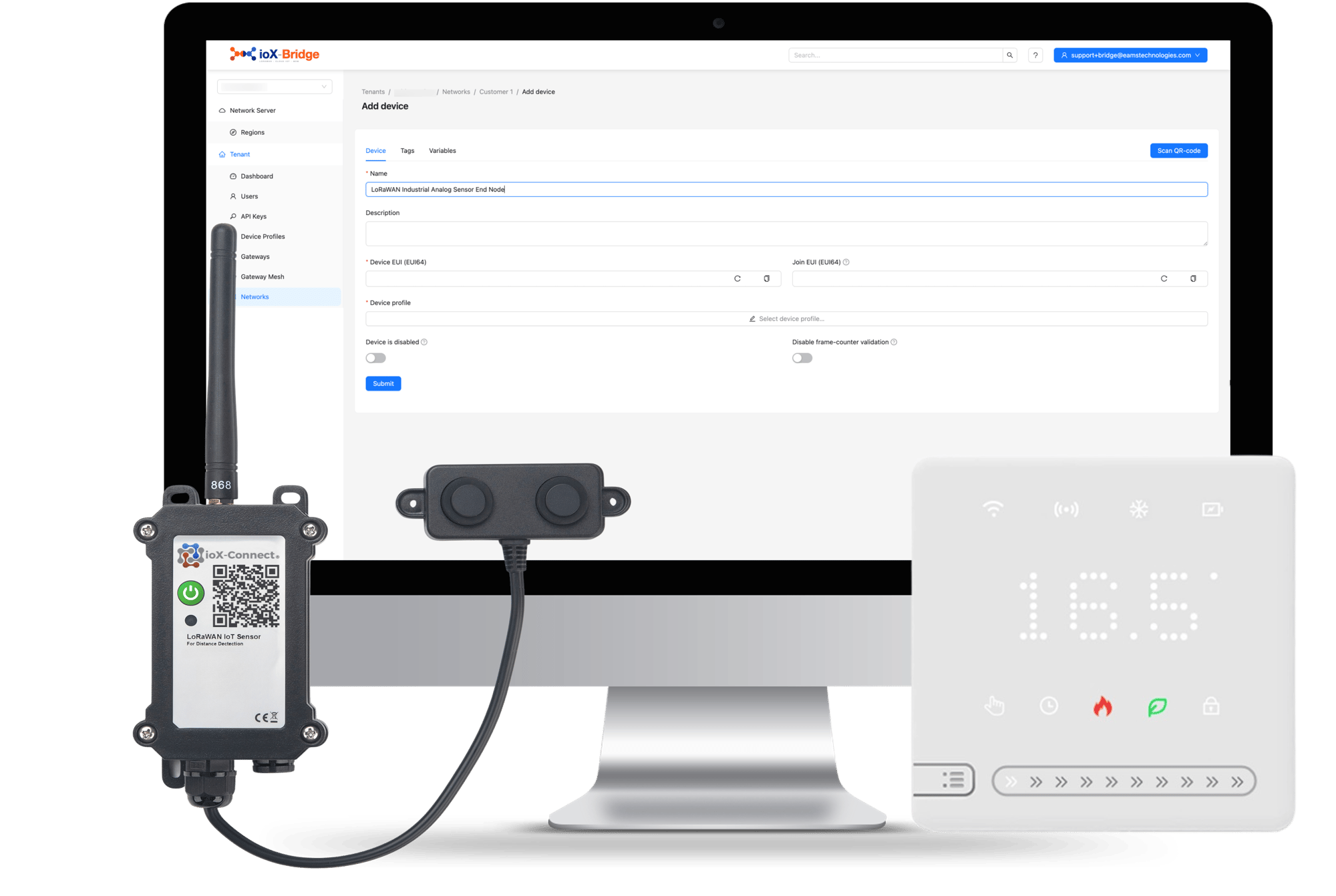
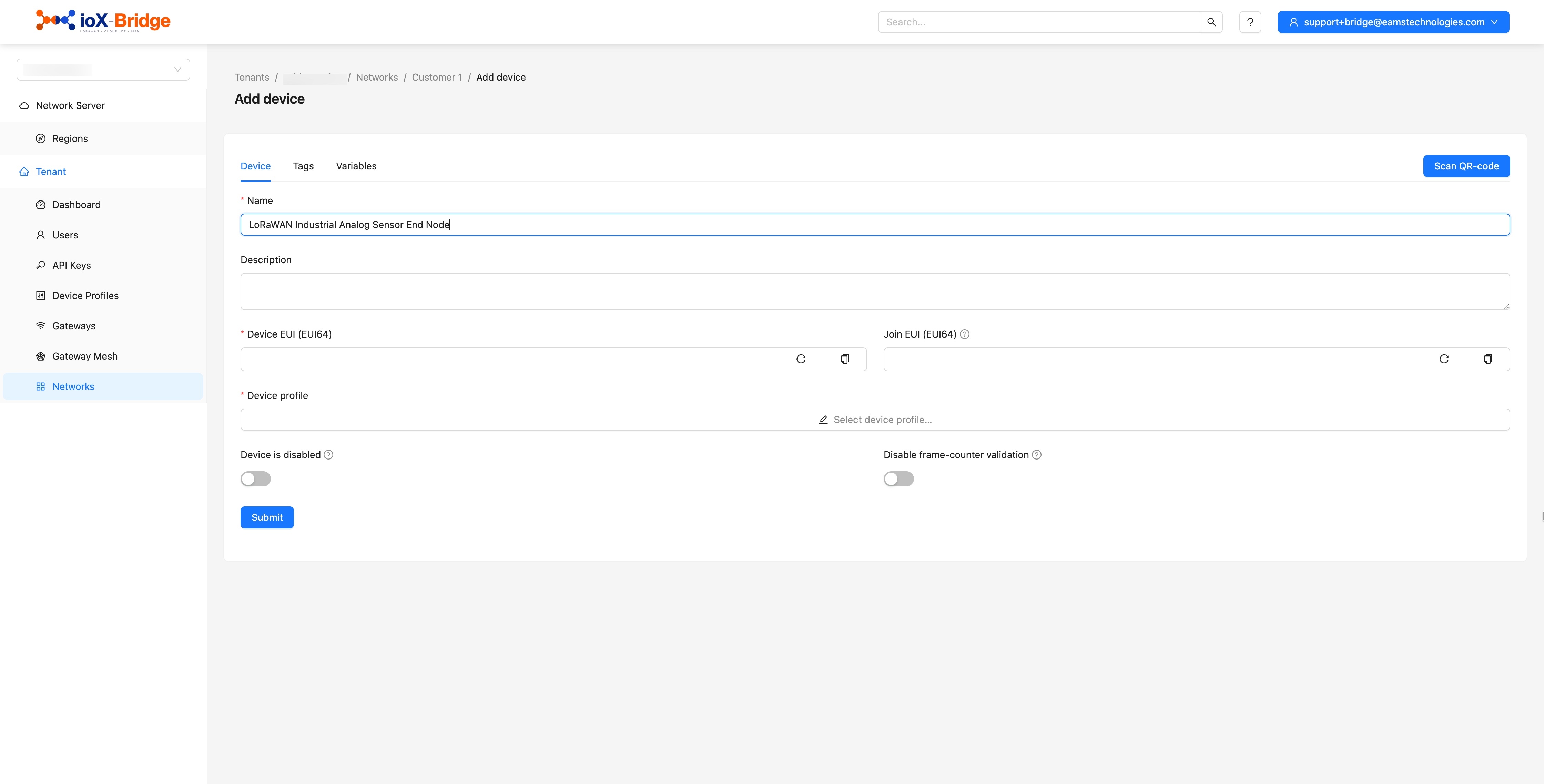
LoRaWAN device provisioning is shorter than people expect. You give ioX-Bridge the identifier printed on the sensor and the key programmed into it, tell it which model the sensor is, and power the thing on. It performs an over-the-air join and starts reporting, usually within a few minutes, with nobody standing next to it holding a laptop.
That matters most on the second hundred devices rather than the first one. Because the model is described once as a profile, adding another unit of a type you already run is two fields and a dropdown, and it can be done by whoever is unpacking the boxes rather than by whoever understands LoRaWAN.
- Over-the-air activation, so a device provisions itself when it powers on
- The device identifier and its key are the only things you need from the hardware
- Every device inherits its radio settings and its decoder from the profile you assign
- Search a fleet by name or identifier, and filter it down to one model at a time
- Signal quality tracked per device over time, so a fading link is visible before it fails
- Commands and settings queued for a device and delivered on its next uplink
What you need in hand
What It Takes to Add a Device
Three things, all of which come with the sensor. Nothing has to be requested, generated or configured on the device itself.
The device identifier
A sixteen-character DevEUI, printed on the sensor or its box. It is the device's name on the network.
The application key
Programmed into the device by its manufacturer and supplied with it. It is what proves the device is the one it claims to be when it joins.
The model
So the right profile can be assigned, which is what gives the device its radio settings and the decoder that turns its bytes into readings.
Device provisioning
Then it does the rest
Power the device on and it joins over the air by itself. The join appears on its own event list, followed by its first readings — which is how you know it worked without going to look at the hardware.
Trusted by teams monitoring critical infrastructure

Why it waits, and why that is correct
Sending Something Back to a Device
You can send a device a command or a new setting. What you cannot do is send it right now, and that is worth understanding before you design anything around it.
A battery-powered LoRaWAN sensor spends almost all of its life with its radio switched off. That is the entire reason it runs for years on a cell rather than a fortnight. It wakes, transmits, listens briefly for anything waiting, and goes back to sleep. So a command is not pushed to the device; it is queued, and it goes out in the short window after the device's next transmission.
In practice that means the delay between queuing something and the device acting on it is however often that device reports. A sensor sending every ten minutes acts within ten minutes. One sending twice a day does not. Nothing in this is specific to ioX-Bridge; it is how the radio standard works, and any network server telling you otherwise is describing a device that is not saving power.
The device's radio, over time
The command waits where you queued it and leaves in the listening window after the next transmission.
The queue is visible in the console, so you can see what is waiting for a device and clear it if you queued the wrong thing. Creating a queued command is an API call today rather than a console form, which is worth knowing if you expected an operator to do it without a developer.
Bring a Gateway Online
Try It With Your Own Payload
The fastest way to know whether this works for your hardware is to run one of your own uplinks through ioX-Bridge
Tell Us What You Are Deploying
Send us the models and the quantities and we will tell you what bringing them on looks like, including anything about them that will be awkward.
Talk to Us About ioX-BridgeOne device among thousands
Finding and Watching a Single Sensor
Finding one device is search, by its name or its identifier, from anywhere in the console rather than only from the list it belongs to. You can also narrow a list to a single model, which is what you want when a firmware revision misbehaves and you need to see every unit of that type together.
Watching one is more interesting. Every device carries its own history of signal quality alongside its readings, plotted over time rather than shown as a number that was true a moment ago. A link that is slowly degrading looks like a downward slope weeks before it looks like a device that has stopped reporting.
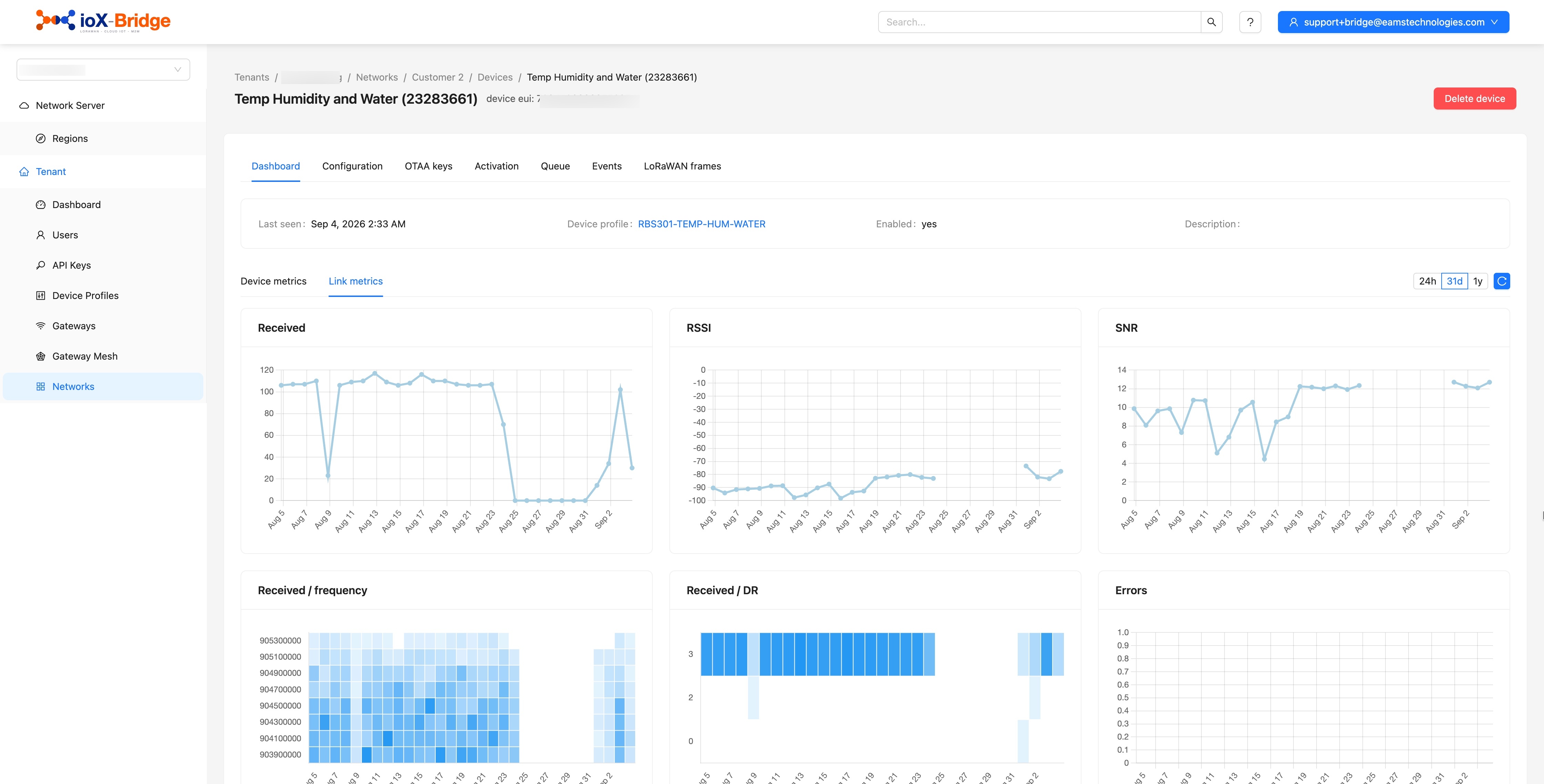
Link metrics
That distinction is the one worth having. A sensor that has gone quiet because its battery is flat and a sensor that has gone quiet because something was built in front of its antenna need different vans, different parts and different people — and the difference is visible here before anybody drives anywhere.
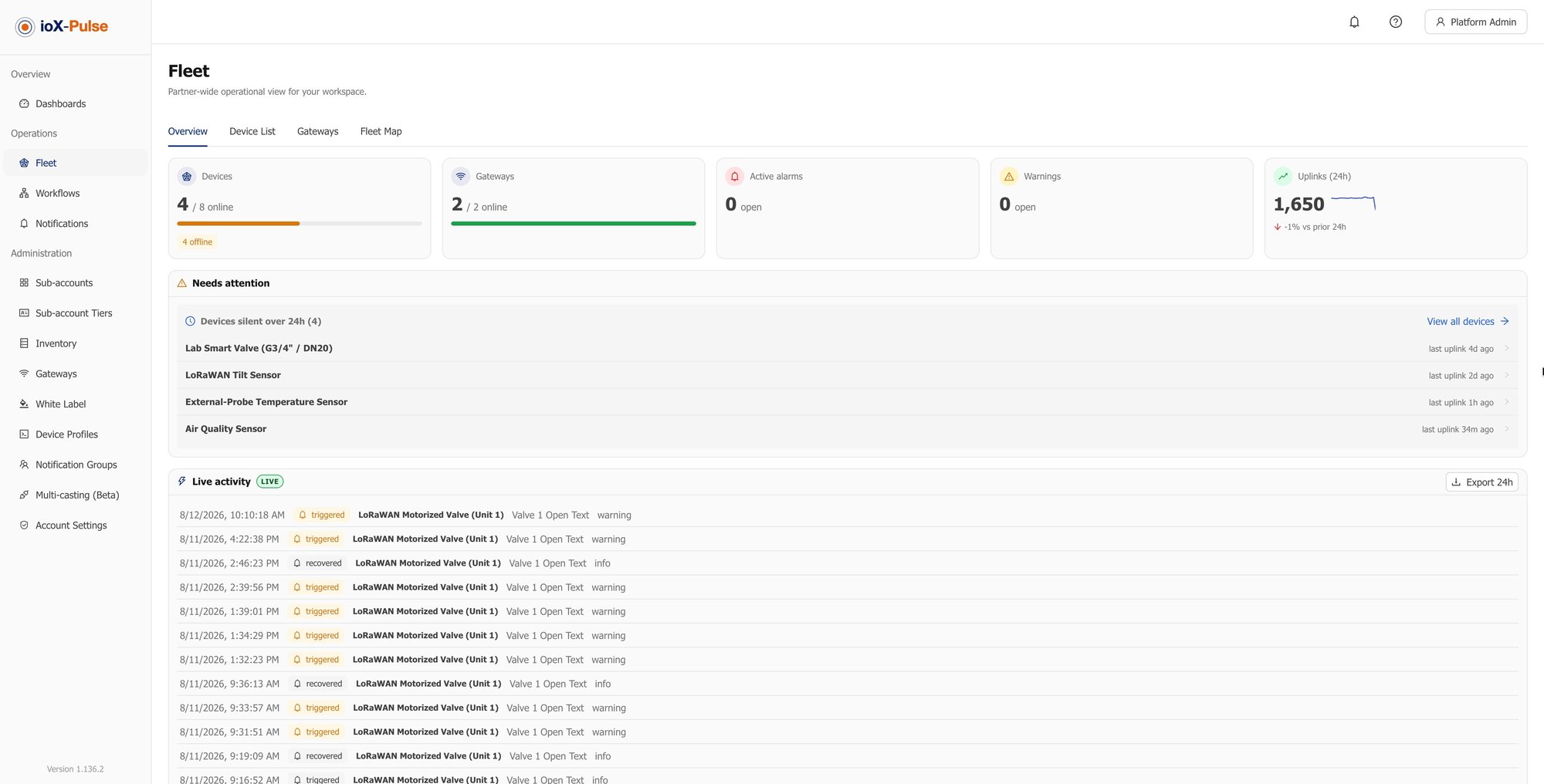
Three causes, one screen each
When a Device Does Not Come Up
Nearly every device that fails to join fails for one of three reasons, and the console distinguishes between them rather than leaving you to guess.
| What you see | What it means |
|---|---|
| Nothing at all, not even an attempt | The device is not reaching a gateway. Either it is out of coverage, or it is transmitting on a different frequency plan from the one the gateway is configured for. |
| The gateway sees an attempt, the device shows nothing | The identifier entered does not match the identifier in the hardware. Common with a transposed character, and it is a thirty second fix rather than a site visit. |
| The device shows a join error | The application key is wrong. Re-enter it and power-cycle the device. |
All three from a desk
The point is not that devices never fail to join. It is that you can tell which of those three it is without driving out to find out.
Common Questions About LoRaWAN Devices
If your question is not here, email sales@iox-connect.com and you will get a straight answer
Three things, all supplied with the sensor: its DevEUI, which is a sixteen-character identifier printed on the device or its packaging; the application key programmed into it by the manufacturer; and the model, so the right profile can be assigned. Nothing has to be configured on the device itself. Enter those, power it on, and it joins by itself.
Over-the-air activation is how a device joins a network without being pre-loaded with session credentials. It transmits a join request identifying itself, the network server checks it against the application key it holds for that device, and if they agree a session is established and the device starts sending data. It is the standard way devices activate, and it means a sensor can be shipped anywhere and provisioned by whoever unpacks it.
Yes, but not instantly, and the reason is the radio rather than the platform. A battery-powered sensor keeps its receiver off almost all the time, which is why it lasts years on one cell. It listens only for a moment after it transmits, so a command is queued and delivered in that window after the device's next uplink. A device reporting every ten minutes acts within ten minutes; one reporting twice a day does not. Queued commands are visible and clearable in the console, and creating one is an API call.
Usually a few minutes from powering on. The join appears on the device's event list, followed by its first readings, so you can confirm it worked without going near the hardware.
Watch its signal quality over time rather than its last reading. Every device keeps its own history of link quality alongside its data, so a connection degrading over weeks shows as a slope long before the device goes silent. That distinction matters commercially: a flat battery and an obstructed antenna both look like silence, but they need different parts and different visits.
The device attempts to join and the join fails with an error on its event list, so you see it immediately rather than wondering why no data arrived. Correct the key and power-cycle the device. A wrong identifier behaves differently: the gateway sees the attempt but the device never appears, which is how you tell the two mistakes apart.
Yes. A device is described by the profile assigned to it, so a network can carry sensors from as many manufacturers as you like, each decoding correctly according to its own profile. Nothing about the network server prefers one vendor.
Bring us the fleet
Ready to Bring Your Sensors On?
Tell us what you are deploying and how many. We would rather find the awkward part now than have you find it during a rollout.