IoT Dashboards and Widgets
See Every Reading the Moment It Arrives
Drag widgets onto the grid, bind each one to a device and a field, and you have a live view of a fleet, a customer site, or a single sensor. Readings stream in as uplinks arrive, so there is nothing to refresh.
Build a dashboard once for an entire class of device and every unit of that type inherits it. Share a finished view as a link that opens in any browser with no sign-in. Both are ordinary settings, not custom work.
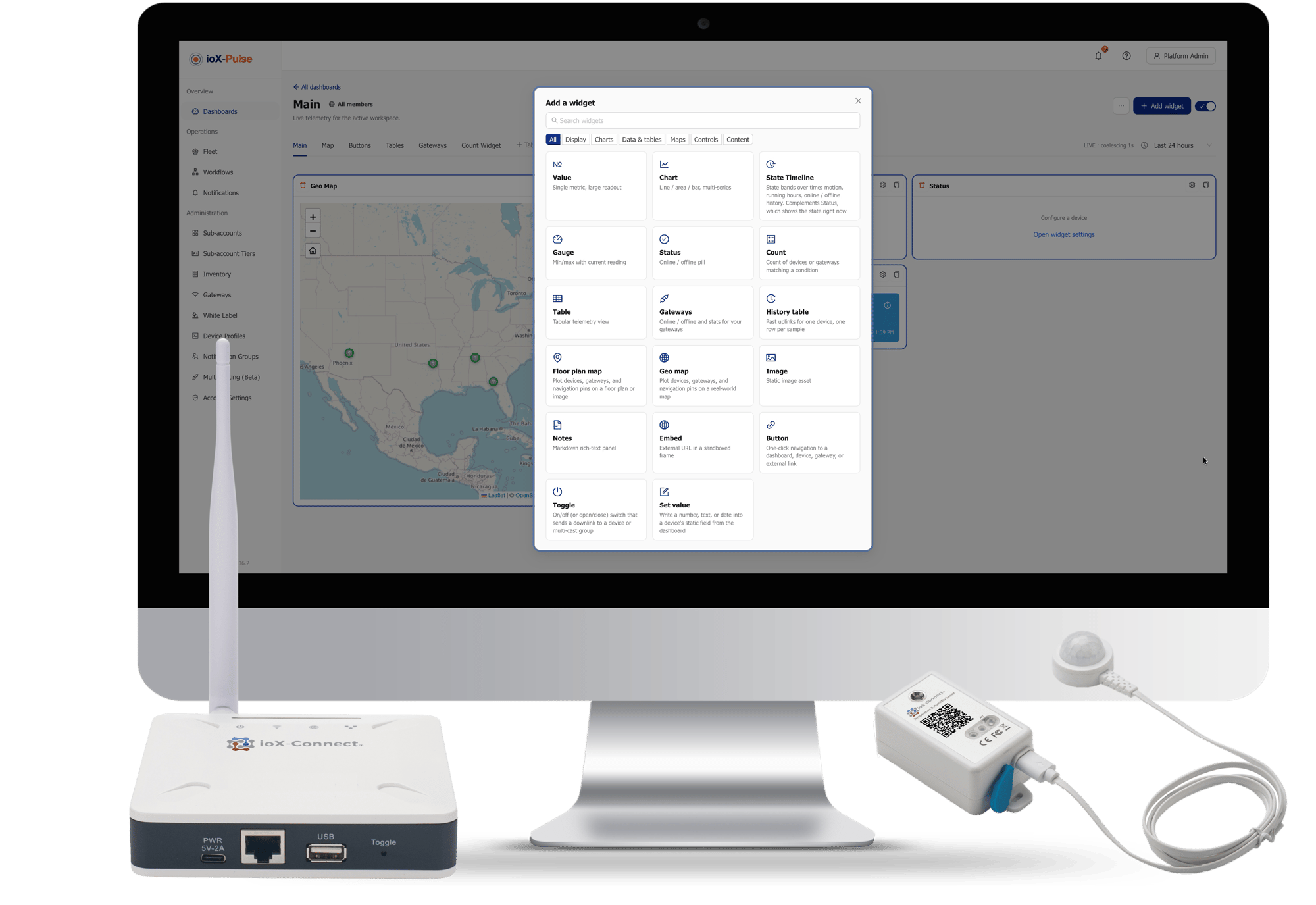
- Charts, gauges, status pills, state timelines, tables and on-off controls
- Drag to move, drag to resize, and changes save as you go
- Live updates over a persistent connection, no refresh button anywhere
- Time ranges from minutes to a month, set per dashboard or per widget
- Multiple tabs on one dashboard, each with its own set of widgets
Charts, gauges, timelines and controls
What You Can Put on a Dashboard
Most widgets bind to a device and a field. Some bind to nothing at all, and some send commands to a device rather than only reading from it. New widget types are added as the platform develops, so this is what is available to build with today.
Value
A single large number or text reading, formatted to be legible across a room. Current temperature, battery level, latest reading.
Chart
Time series as lines, areas or bars, with several series in one widget. The workhorse for any question about how something is changing.
Gauge
Radial dials, donuts, horizontal and vertical bars, animated liquid tanks, battery icons, signal bars and compass headings.
Status
A coloured pill for a single state: connected or disconnected, OK or warning or alarm, on or off. Built for scanning many devices at once.
State Timeline
Horizontal bands showing how long each state lasted across a window. Motion through a day, machine running hours, online and offline history.
Count
One large number answering how many devices or gateways currently match a condition. Offline devices, devices alerting right now, gateways online at a site.
History
A table of recent uplinks from one device, one row per uplink, for when somebody needs to read events line by line.
Gateways
A compact roster of gateways with online and offline state, so a customer without the fleet view can still see whether their gateways are up.
Toggle
An on and off switch that sends a command to a device, showing current state on the same control rather than as two separate buttons.
Image
A static picture with no data binding: a site photo, a floor plan, a wiring diagram. Context next to the live readings.
Embed
Any external https page inside a sandboxed tile. A Grafana panel, a weather map, a camera feed, an internal tool, beside your device data.
Additional widget types are continuously developed for the platform to keep up to date with new technology and sensor releases
Trusted by teams monitoring critical infrastructure

One layout, every device of that kind
Build It Once for a Whole Device Type
Building the same dashboard device by device is why most fleets end up with dashboards for the first twenty units and nothing for the rest. In ioX-Pulse you build against a device profile instead of a device. Bind a widget to the temperature field, and every device using that profile renders that widget against its own temperature. Add a device next week and it arrives with the dashboard already built.
Edit the layout once, all three views change. Trailer 31 joins tomorrow and renders the same way.
Profile BUILT ONCE, USED EVERYWHERE
One layout that renders once per device of a given type. Edit it once and the view changes for every device using that profile.
Scales with the fleet · no per-device work
Sub-account
Customer facing. Widgets bind only to that customer's devices, and their members are the audience.
Audience: your customer
Partner
Your own cross-customer roll-ups, for example every device's battery level in one place. Internal only, never visible to a customer.
Audience: your team only
Device SPARINGLY
A one-off view for a device that genuinely does not fit a reusable pattern.
Fleet
A workspace-wide read-only operations view across every sub-account.
Pick by audience
Who needs to see it decides the scope: the widgets themselves are the same everywhere.
When you edit a profile dashboard you can preview it against a real device's readings before you commit, so you are not adjusting a layout against empty placeholders and hoping. The editor also tells you how many devices your change is about to affect.
A screen on a wall, a customer with no account
Share a Live View Without Handing Out Logins
Some of the people who need to see a dashboard will never have a login. A screen on a shop floor. A customer who wants to watch their own site. A contractor checking a reading before deciding whether to drive out. A public link opens the dashboard in any browser, with no sign-in, and shows nothing else from the platform.
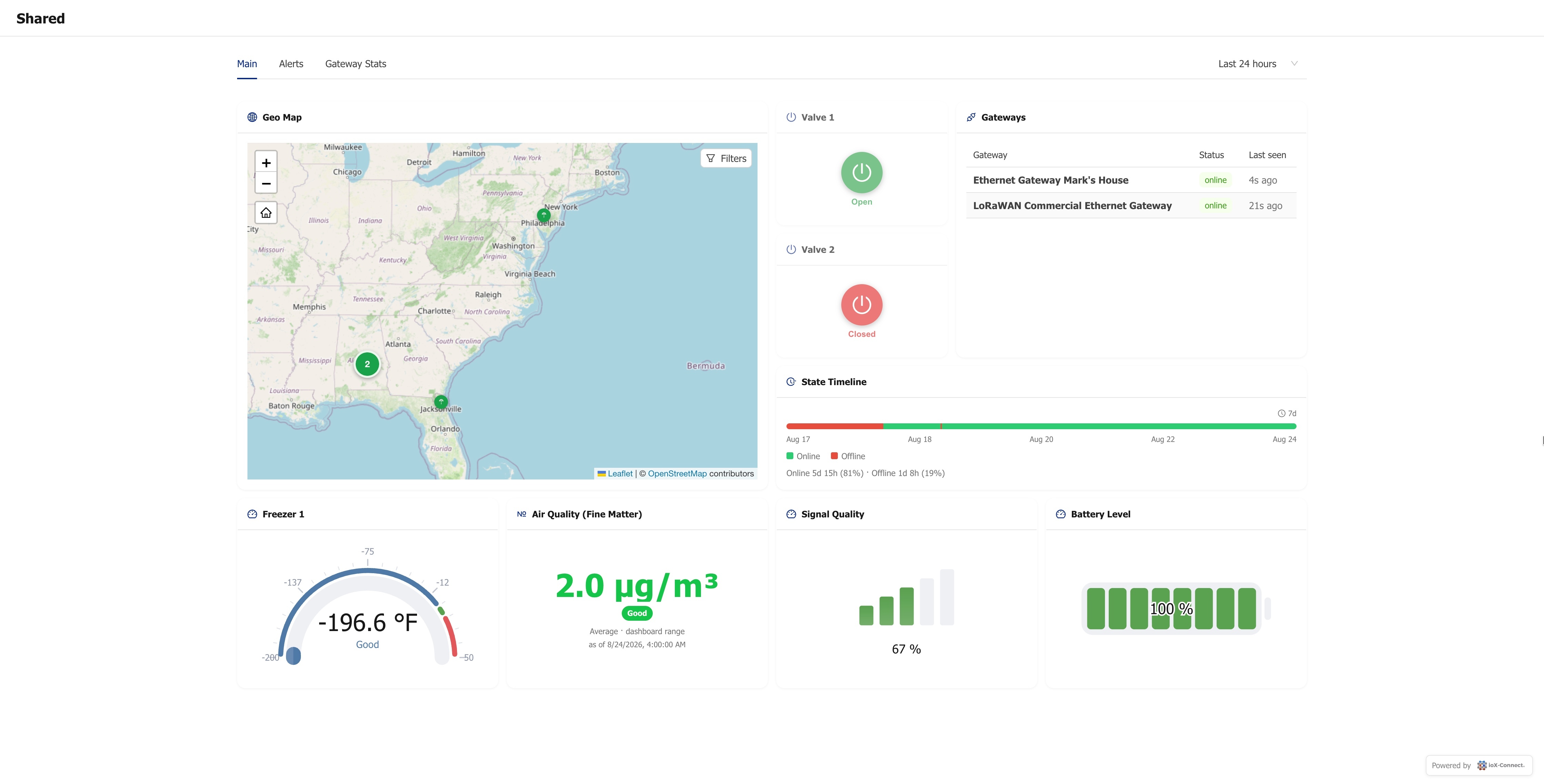
Choose whether a link is open or password protected before you create it. The full link is shown once, at creation.
-
1
Open to anyone with the link, or protected by a password. You choose before the link is created, and it stays that way for its whole life
-
2
Viewers see exactly what the dashboard's widgets are bound to and nothing else in the account: no sidebar, no menus, no route to any other page
-
3
Read-only unless you say otherwise. Set values and device commands can each be switched on, only on a password-protected link
-
4
Turn the link off and access ends on the next refresh. Replace it and the old one stops working immediately
A shared dashboard carries no ioX branding. If you are delivering this to your own customers you can put your own mark in the corner instead, or leave the page unbranded entirely.
Build One and See
Ready to Give Your Fleet a Shape?
A free trial takes a card but does not charge it. Connect one device, drop four widgets on a grid, and see your own data on screen inside an afternoon.
Two settings, no accidents
Controlling Who Sees a Dashboard
Visibility is decided in two steps. The dashboard's scope sets the broad audience, and an access setting narrows it further: everyone the scope allows, only people you pick, or only members of a given site.
-
1
Access only ever narrows. A customer's dashboard is never shown to another customer, and an internal dashboard is never exposed to a customer's members.
-
2
An admin cannot lock themselves out of a dashboard they manage, whatever the access setting says.
-
3
The dashboard list shows the current access setting in its own column, so you can see who a dashboard is linked to without opening it.
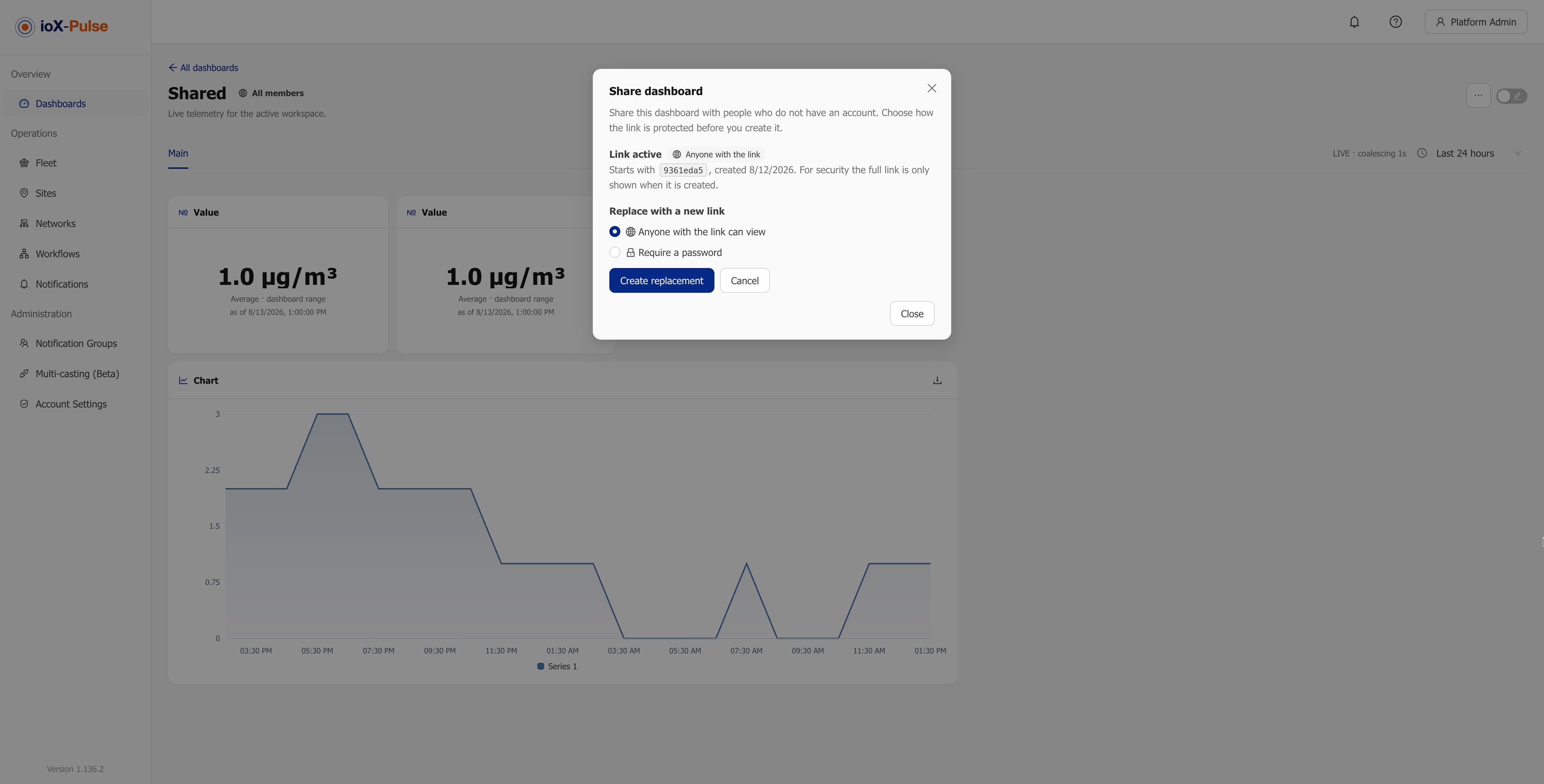
Scope sets the audience, access narrows it. Both are visible from the list before you open a dashboard.
Access only narrows, never widens. Whatever you change, a setting cannot expose a dashboard to an audience its scope does not already allow.
The honest version
What This Looks Like Without a Dashboard Layer
Plenty of teams read their data out of a network server console, a spreadsheet export, or a chart tool somebody wired up once. Here is the same work, done both ways.
| The job | Console, export, or a chart toolTHE USUAL WAY | With ioX-PulseWHAT CHANGES |
|---|---|---|
| Standing up a view for a new device type | Build it again, per device, or write something custom | Build the profile dashboard once; every device of that type inherits it |
| Showing a customer their own site | Give them an account, or email them a screenshot | Send a link that opens in any browser, scoped to their devices only |
| A screen on the shop floor | A spare laptop with a saved login somebody has to babysit | An open link on a wallboard, revocable in one click |
| Letting a supervisor set a target | Give them platform access, or do it for them | Turn on set values for one password-protected link |
| Knowing a reading is current | Refresh and hope | Uplinks stream in and the widget updates in place |
| Keeping one customer out of another's data | Careful configuration and trust | Scope plus access, where access can only narrow what scope already allows |
Six jobs, same requirements — the difference is how much of it you have to assemble yourself.
Common Questions About IoT Dashboards
If your question is not here, email sales@iox-connect.com and you will get a straight answer
Yes. A customer dashboard can be shared as a public link that opens in any browser with no sign-in, either open to anyone with the link or protected by a password. Viewers see only what that dashboard's widgets are bound to, with no sidebar, no menus and no route to anything else in the account. You can turn the link off at any time and access ends on the next refresh. Every link created, changed or removed, and every action a viewer takes through one, is recorded in the audit log.
No. Build one against a device profile and every device using that profile renders the same layout against its own readings, including devices you add later. Edit the profile dashboard once and the view updates everywhere it is used.
Charts, gauges, status pills, state timelines, counts, history tables, gateway rosters, on-off controls, images and embedded pages. Most display data, some send commands to a device, and one holds a static picture such as a floor plan or a site photo. The set grows as the platform develops.
Yes. Readings arrive over a persistent connection as uplinks come in, and charts, values and status widgets update in place without a refresh. If the connection drops it reconnects automatically. Dashboards shared as public links refresh on a timer instead.
Both. Toggle widgets send a command to a device and show its current state on the same control, and set value widgets write a value back. On a shared public link both are off by default and can only be enabled on a password-protected link.
Yes, when you allow it. Dashboard editing inside a customer's own workspace is a setting you switch on per tier, so you decide whether a given customer builds their own views or only reads the ones you built.
Our Products and Services
We're here to help, do not hesitate to reach out to us by scheduling a quick call with one of our consultants.
Ready to Build Your First Dashboard?
Start a free trial and build your first dashboard, or send us your device list and we will show you what it would look like.