
Choosing LoRaWAN hardware for a building, plant or remote site
A LoRaWAN deployment needs three hardware decisions: a gateway that matches your backhaul and environment, sensors that measure what you actually need to know, and the enclosure, antenna and mounting that give the radio link a fair chance. Get the order right and most installs take an afternoon: one indoor gateway typically serves a commercial building, an outdoor gateway with an external antenna serves a site, and battery-powered sensors report for years without wiring.
This guide walks through each decision with the specifications that matter, using the ioX LoRaWAN range as the examples. Every device here reports into ioX-Pulse with a ready device profile, and you can order it from the ioX-Connect store.
Short version: pick the gateway by where it will live and how it reaches the internet; pick sensors by the condition you measure and the environment they sit in; then check range from the gateway location with the virtual site survey before you drill.
Decision 1
Choosing a LoRaWAN gateway
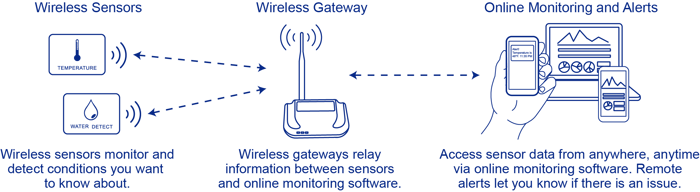
The gateway receives every sensor's radio packets and forwards them to the network server and platform over the internet. Two questions decide the model: where will it be mounted (indoors on a desk or wall, or outdoors on a mast) and how will it reach the internet (your Ethernet network, or a cellular connection where you cannot use the local network).
Coverage: how far does one gateway reach?
LoRaWAN runs in the 915 MHz band in the US and is built for range at low data rates. Indoors, one gateway placed high and central typically covers a commercial building floor plate and often the floors above and below; concrete, metal racking and machinery shorten that. Outdoors with line of sight and a high-gain antenna, a gateway can reach sensors several kilometers away. Treat those as starting points, not guarantees: run the virtual site survey with your gateway location and sensor positions, and add a second gateway rather than fighting a weak link.
Capacity: how many sensors per gateway?
The practical limit is airtime, not a device count. Sensors that report every 10 to 15 minutes use a fraction of a second of radio time each, so one gateway comfortably handles the sensor count of a typical building. Dense sites with sensors reporting every minute, or sites with hundreds of devices, get a second gateway for capacity and redundancy.
The three ioX gateways
| Gateway | Where it lives | Backhaul | Key specifications (from the datasheet) |
|---|---|---|---|
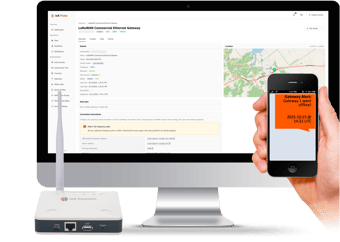
 LoRaWAN Commercial Ethernet Gateway | Indoors, on a shelf or wall, where your network has a free port | Ethernet | Semtech SX1302 radio, 27 dBm max output, -140 dBm sensitivity; LoRaWAN v1.0.3, US915 band; -40 to 85 °C (-40 to 185 °F); USB Type-C power, 5 V 2 A; 12 x 12 x 3 cm (4.7 x 4.7 x 1.2 in); over-the-air firmware updates |
 LoRaWAN Commercial Cellular Gateway | Indoors, at sites where IT will not open the network or there is no wired internet | 4G cellular | Semtech SX1302/SX1303 concentrator; pre-configured for your regional LoRaWAN band |
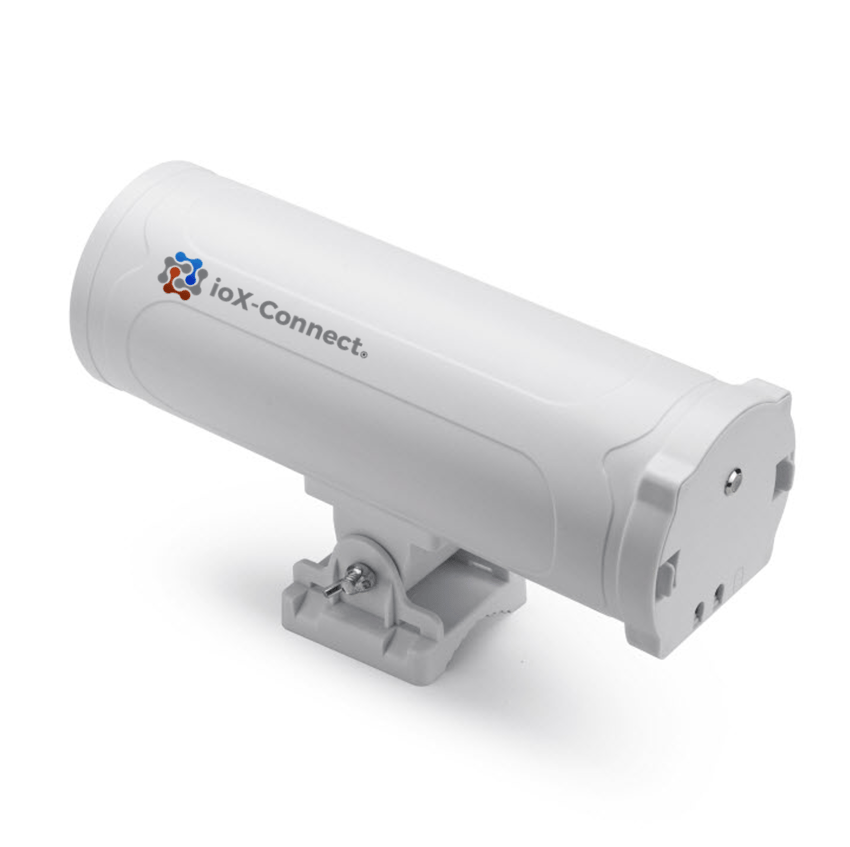
 LoRaWAN Outdoor Gateway (Ethernet or cellular) | Outdoors on a pole or wall: yards, tank farms, well sites, campuses, agriculture | Ethernet or 4G cellular (US module supports Verizon, AT&T including FirstNet, T-Mobile, U.S. Cellular) | IP65 enclosure with lightning and surge protection, built-in GPS, external high-gain fiberglass antenna; Semtech SX1302, 27 dBm, -140 dBm sensitivity; -20 to 85 °C (-4 to 185 °F); 12 V power |
All three connect to any standards-compliant LoRaWAN network server, including ioX-Bridge, and are monitored in ioX-Pulse (status, last contact, radio and system statistics). See the LoRaWAN gateways category for datasheets and the Buy Online links.
Pro tip: if the site has both a reliable network port and a cellular signal, choose Ethernet and keep cellular for the sites that need it. A cellular gateway adds a data plan for the life of the install.
Decision 2
Choosing LoRaWAN sensors by what you measure
Start from the condition you need to know about, then match the environment the sensor will live in. The table links to each category page, where every device has its datasheet and a Buy Online link.
| You need to know | Sensor category | Example device and the spec that decides |
|---|---|---|
| Temperature of a room, cooler, freezer, process or surface | LoRaWAN temperature sensors | Industrial Temperature Sensor: -55 to 125 °C (-67 to 257 °F) probe range, ±0.5 °C (±0.9 °F), IP67 housing. Thermocouple Sensor for ovens and process heat: K-type probe to 200 °C (392 °F), or an input for K, J, N, R, S, T, E and B types. |
| Temperature and humidity in offices, storage, server rooms | LoRaWAN temperature and humidity sensors | Commercial Temperature & Humidity Sensor: ±0.3 °C (±0.5 °F), ±3 %RH, 2 x AAA batteries, -20 to 50 °C (-4 to 122 °F), IP52 (indoor). |
| Water where it should not be: under floors, in mechanical rooms, along pipe runs | LoRaWAN water leak detection sensors | Industrial Water Leak Rope Sensor: 1, 5 or 10 m (3.3, 16.4 or 32.8 ft) rope, 8,500 mAh battery or solar, -40 to 85 °C (-40 to 185 °F). |
| Indoor air quality: CO₂, particulates, VOCs | LoRaWAN air quality sensors | 9-in-1 IAQ Sensor: NDIR CO₂ 400 to 5,000 ppm, PM2.5 and PM10 by laser scattering, TVOC, on-device traffic-light LED and buzzer, replaceable batteries or USB-C power. |
| Pressure in a line, tank or well | LoRaWAN pressure sensors | Industrial Pressure Sensor (threaded): 0 to 50, 300, 750 or 3,000 psi ranges for air, gas or water; 8,500 mAh battery rated up to 5 years. |
| Doors, gates and cabinets opening | Open/close sensors | Commercial Window/Door Sensor: magnetic contact with an open-too-long alarm, 2 x AAA batteries, 40 x 15 x 15 mm. |
| Meters, counters and dry contacts (water, gas, electricity, production counts) | LoRaWAN interface meters and sensors | Multi-Channel Pulse Counter: up to 3 pulse or dry-contact inputs, event, periodic or aggregated reporting, IP67, stores readings while out of range. |
| Tank level, distance, flow, valves and relays | All LoRaWAN devices | Ultrasonic and radar distance sensors, water flow sensor, motorized smart valve, controls and relays. See the full catalog. |
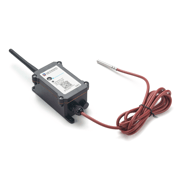
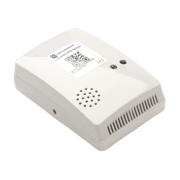
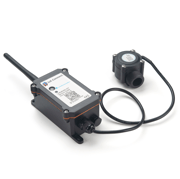
Four specifications that decide the sensor
- Measurement range and accuracy. A freezer needs a probe rated well below its set point; a process line needs a thermocouple, not a room sensor. Read the range on the datasheet, not the product name.
- Enclosure rating. IP52 is an office. IP67 survives wash-down, outdoor cabinets and plant floors. Operating temperature of the electronics is separate from the probe range.
- Power and reporting interval. Battery life on the datasheet is quoted at a reporting interval. Reporting every minute instead of every 15 shortens it; on devices whose profile supports it, the interval is adjustable by downlink from ioX-Pulse.
- Probe and mounting. External probes, rope lengths, thread sizes, magnet gaps and clamp sizes are what make a sensor fit the asset. Check them before ordering.
Decision 3
Enclosures, antennas, mounting and range
The radio link is where deployments succeed or fail, and it is mostly decided by where you put things.
Enclosures and housings for LoRaWAN sensors
You usually do not need a separate enclosure: the industrial ioX sensors ship in IP67 housings rated -40 to 85 °C (-40 to 185 °F), with external probes or rope on a lead so the electronics stay out of the harsh spot. Commercial indoor sensors are IP52 and belong in conditioned space. If a sensor must go inside a metal cabinet, mount the sensor body outside the cabinet with the probe inside: a closed metal box is the one place LoRaWAN will not reach out of.
Antennas and gateway placement
- Mount the gateway as high as you can and as central as you can; height beats power.
- Outdoors, the Outdoor Gateway's external fiberglass antenna wants a clear view over the sensors, not a wall between them.
- Keep gateways and sensors away from large motors, VFDs and dense metal where you can; where you cannot, test first.
What range to expect in a warehouse
Metal racking, stacked product and mezzanines all attenuate the signal, so a warehouse behaves more like several rooms than one open hall. A gateway mounted high on a central column or on the mezzanine typically reaches sensors across a large distribution building; very long or heavily racked buildings get a second gateway at the far end. The virtual site survey models your layout before you buy; a two-sensor walk test with a gateway on a ladder confirms it on the day.
After the hardware
Getting the hardware into ioX-Pulse
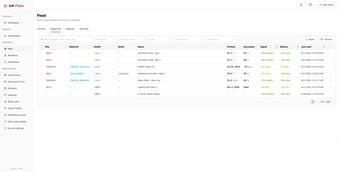
Hardware is only useful once its readings land somewhere people look. In ioX-Pulse, every ioX device has a device profile that decodes its payload into named fields with units and gives it a default dashboard, so a new sensor shows readings as soon as it joins. You add a device by its DevEUI and serial number, assign it to a site, and the fleet view shows last contact, battery and a signal quality score computed from the radio data, with no decoder work on your side.
Gateways are managed the same way: claim the gateway, see its state and statistics, and get an alert if it goes silent, which is the most common reason a whole site stops reporting. Alerts on the sensor readings themselves are set in IoT alerts and workflows; see LoRaWAN device management and gateway management for the details.
Already running your own LoRaWAN network server or application? The hardware still works: any standards-compliant gateway and sensor set connects to ioX-Bridge or to your existing server. If you are not sure whether you need a platform, a network server or both, read IoT platform vs LoRaWAN network server.
Get pricing for your LoRaWAN hardware project
Tell us what you want to monitor and how many sites you have. An IoT specialist will reply with sensor options and pricing for your project.
Ready to buy? Order sensors online from our hardware store.
Get in Touch

Alternative Points of contact
If you'd like to contact us directly, please email us at: sales@iox-connect.com.
or call us at: +1 (321) 441-9641
Trusted by customers across multiple industries