Multi-Tenant IoT: One Workspace, Many Customers
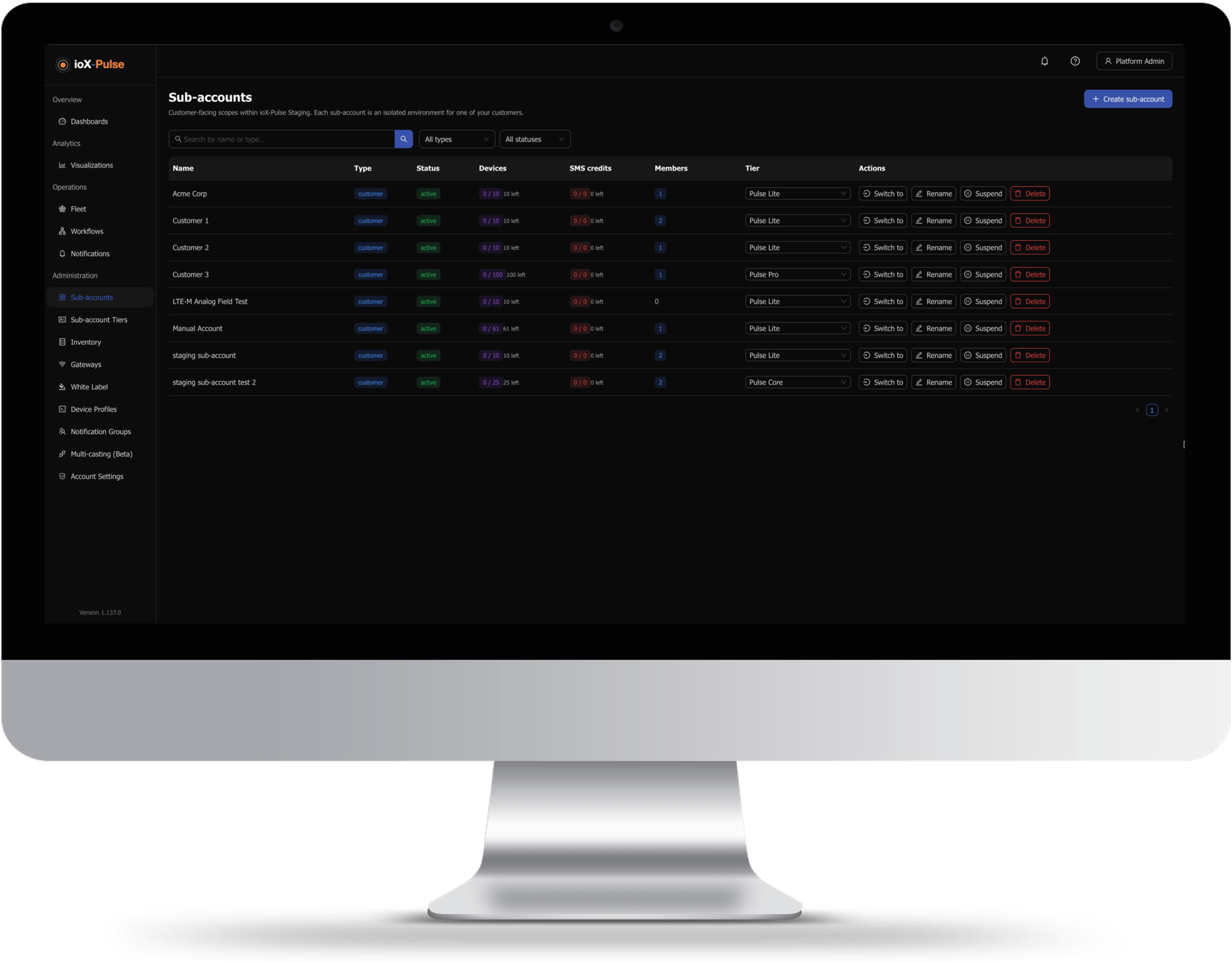
A multi-tenant IoT platform lets one organization run separate, isolated environments for many customers from a single workspace. In ioX-Pulse each of those environments is a sub-account: it has its own devices, dashboards, users and feature tier, and its users cannot see anything outside it.
If you deliver monitoring to other people, the alternative is a separate account or a separate deployment per customer, and every one of them is a place to sign in, a bill to reconcile and a configuration to keep in step. One workspace with isolated sub-accounts collapses all of that into a single place to work, while each customer still sees only their own equipment under your brand.
- A customer's administrator sees their own account and nothing else, including the fact that other accounts exist
- Tiers you define yourself decide what each customer's account includes, so an upgrade is a dropdown rather than a support ticket
- Devices staged before deployment and devices retired afterward cost you nothing
- Move a device from one customer to another and its alarms clear with the reason recorded
- Suspend an account and telemetry keeps arriving, so a billing dispute does not create a data gap
- Every account is created with somewhere for devices to wait before deployment and somewhere for them to go afterward
Trusted by teams monitoring critical infrastructure











The question every evaluator asks
What One Customer Can and Cannot See
Isolation is only worth anything if you can say precisely where the boundary sits. Here is where it sits.
Inside a customer's account the roles are Administrator, Operator and Viewer, named without any prefix so they read naturally to the customer. An Operator can run the account day to day, including sending commands to devices, without being able to change how it is configured. A Viewer reads and does nothing else. Both visibility, meaning which sections a role sees at all, and permissions, meaning what it can do there, are adjustable per role and per account — so a dashboards-only login is a setting rather than a feature request.
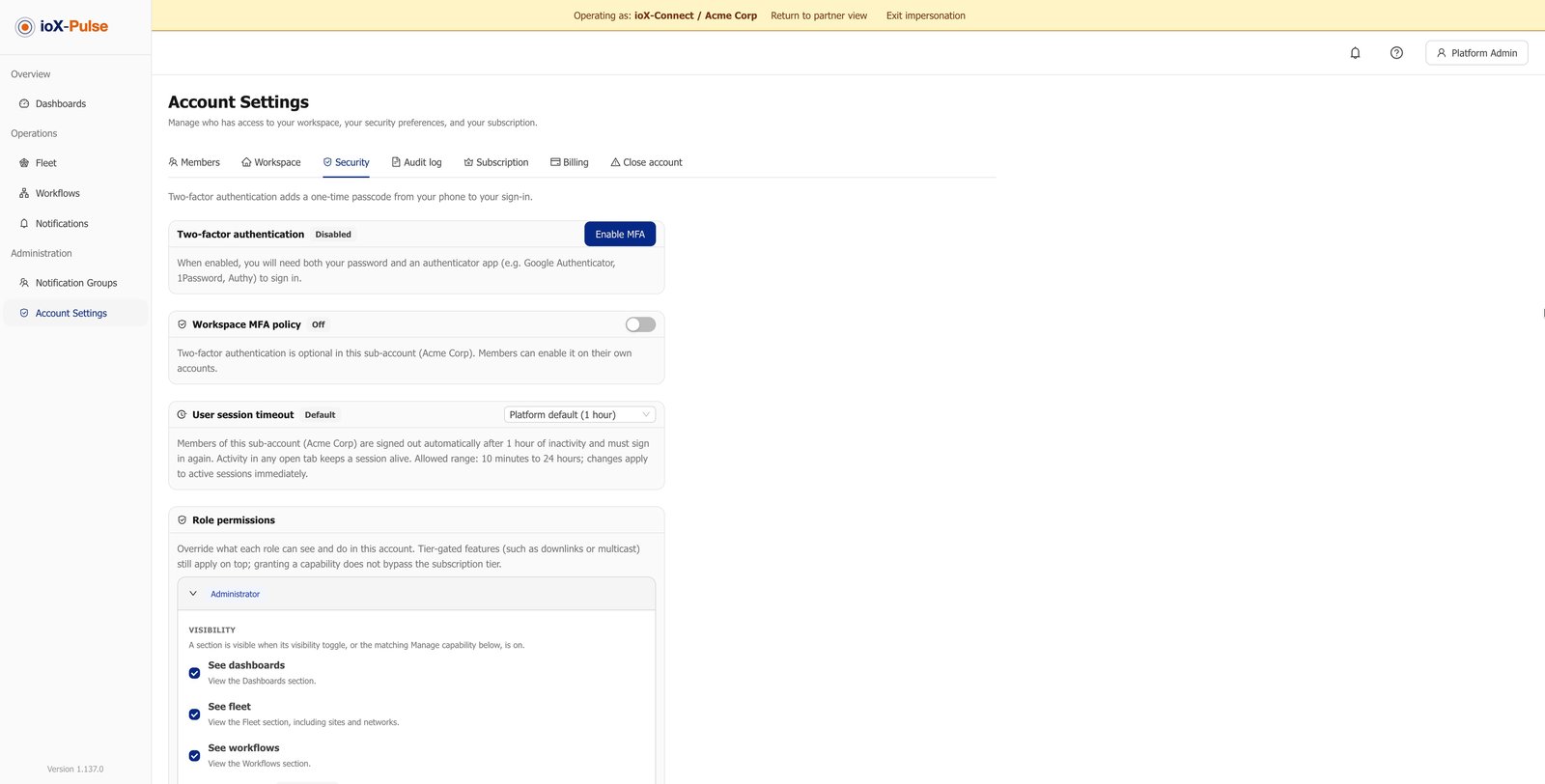
Session length is yours to set too. Members are signed out automatically after a period of inactivity, anywhere from ten minutes to a day, and the setting applies to sessions already open rather than waiting for the next sign-in.
Sold, not supported
Decide What Each Customer's Account Includes
Rather than configuring every customer by hand, you define tiers once and assign them. A tier is a named bundle of allowances and switches: how many devices, users and dashboards the account gets, which widget types and rule features it can use, whether it can send commands to devices, and how much it can do for itself.
Device, user and dashboard allowances
These are the numbers you sell on. Changing a customer's plan is a dropdown, and it applies immediately.
Available widget types and rule features
Lets you package a basic and a premium offering out of one platform, without maintaining two of anything.
Command and downlink permissions
Reading sensors and controlling equipment are different products at different prices. This is where you separate them.
Self-service switches
Whether a customer can claim their own devices, claim their own gateways, or build on your device profiles. Each one you switch on is work you stop doing for them.
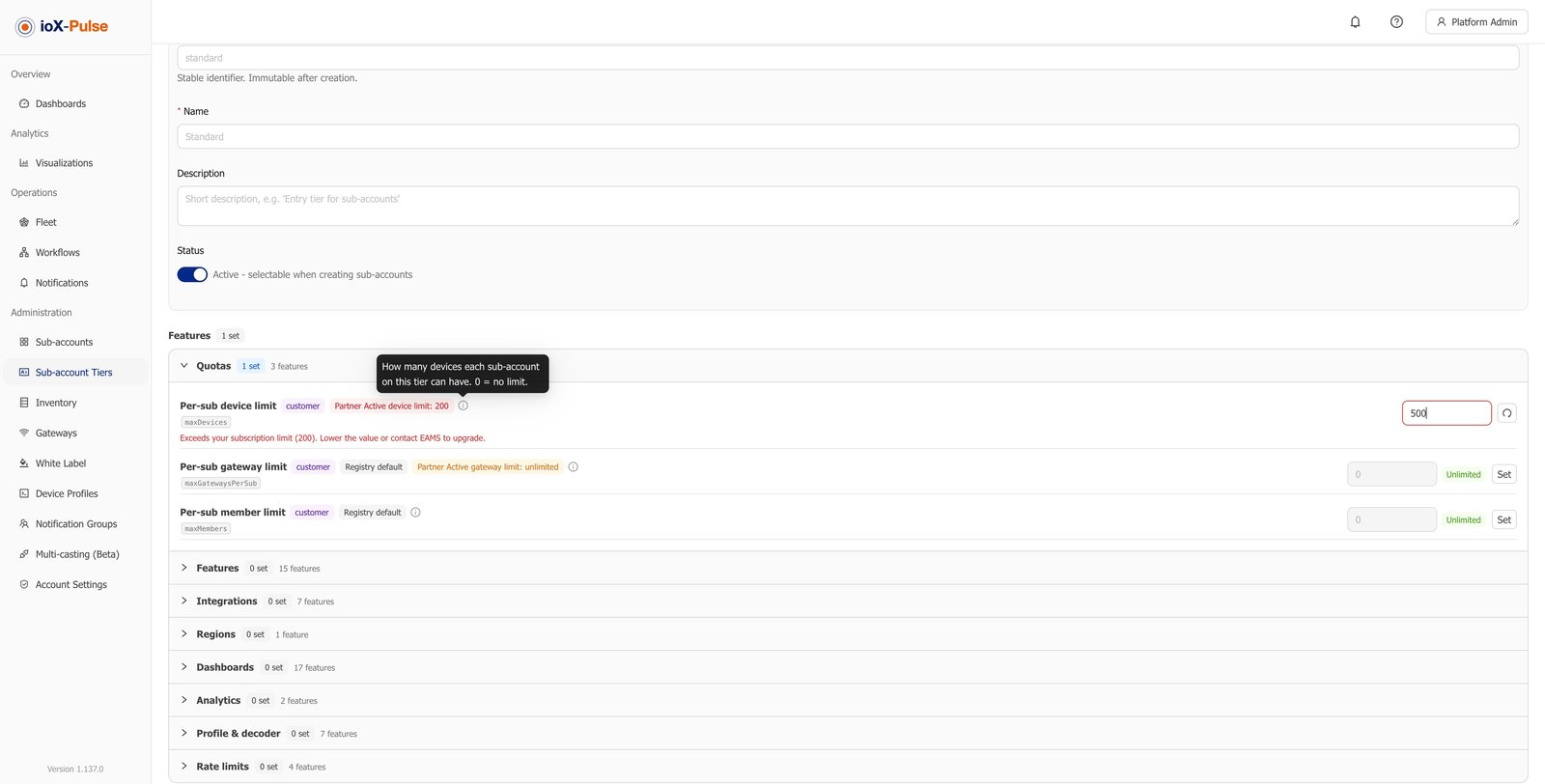
A customer's tier can never exceed your own. Values are capped at your plan, and anything above the ceiling is flagged before you can save it, so it is not possible to sell a customer something your own subscription does not cover. Where your plan and their tier disagree, the more restrictive of the two applies.
Customers change, hardware does not
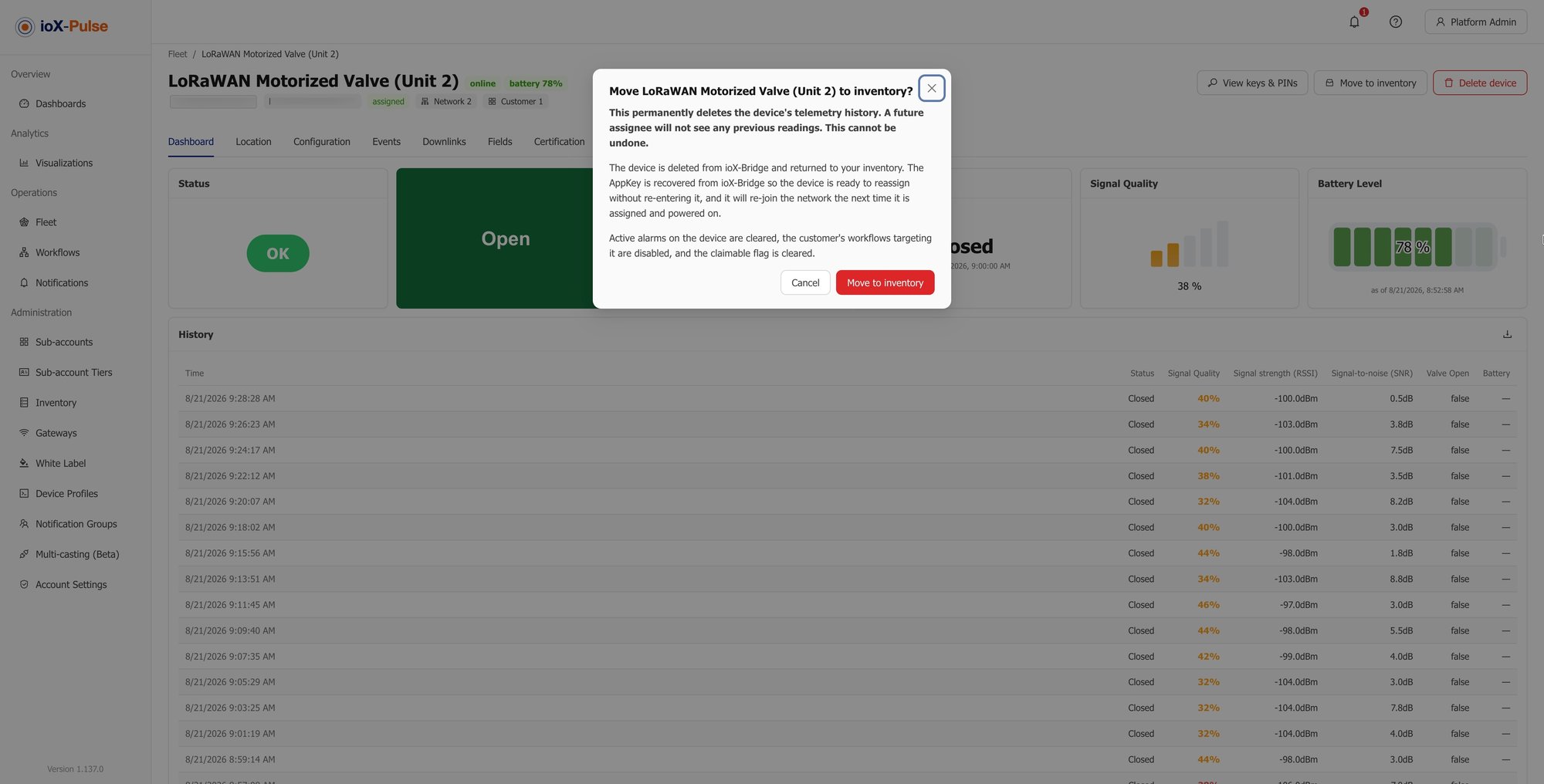
Moving a Device From One Customer to Another
Hardware outlives contracts. A sensor comes back from a customer who churned, gets refurbished, and goes out to somebody else. What matters is that nothing follows it that should not.
Assigned, reporting, consuming a seat against their tier.
Costs nothing, history removed, ready to go out again.
Assigned clean — no alarms, no prior readings, no trace.
-
It moves cleanlyA device belongs to one account at a time, so there is no shared state to unpick.
-
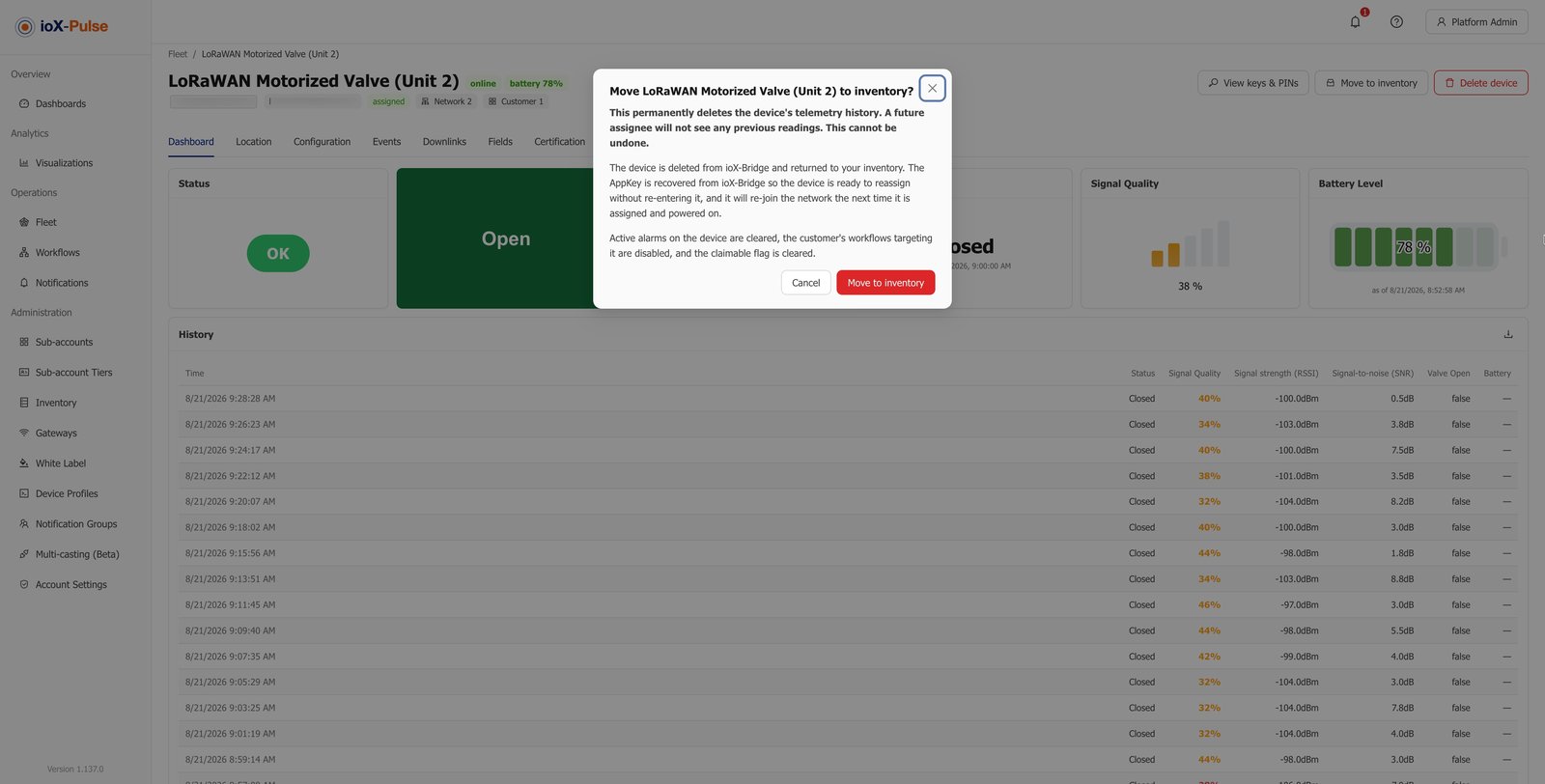
Alarms clear with a reasonAny alarms it was carrying are cleared, and the reason is recorded rather than the alert simply disappearing.
-
Staging costs nothingReturn it to staging instead and it stops consuming a seat, ready to go out again.
-
Readings do not travelA device returned to staging has its history removed, so the next customer never sees the last one's data.
Pay for what is deployed
What a Tenant Costs You
Sub-accounts themselves are not what you pay for. Devices are, and only once they are working.
Bring in a whole shipment the day it lands.
Counted against that account's tier and against your overall total.
The seat returns to your pool.
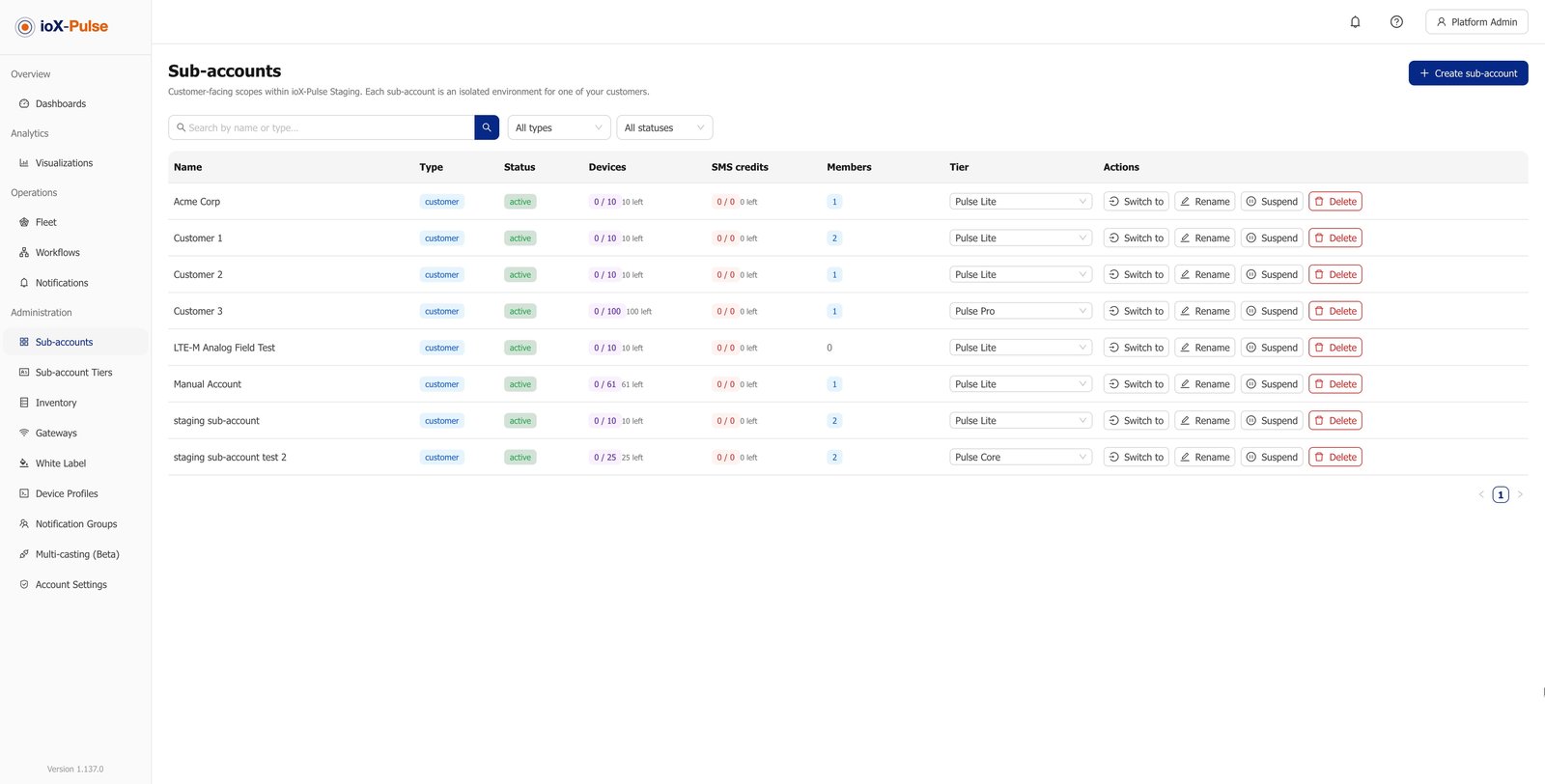
Hitting a limit blocks new growth rather than breaking what is already running. Existing devices keep reporting, and you resolve it in one of three ways.
- Archive something you no longer use
- Move a device between accounts
- Raise the tier
Contracts end. Data should not vanish
Suspending and Closing a Customer Account
Offboarding is where multi-tenant platforms usually disappoint, because it is the part nobody demos. Two mechanisms, and they do different jobs.
Members can no longer sign in, and everything else carries on. Use it for a billing pause or a dispute, and reverse it when the situation is resolved.
- Devices keep receiving and storing readings
- Rules keep evaluating
- Dashboards keep displaying
When a customer's own administrator asks to close their account, it raises a request with the reason and a timestamp rather than closing anything. You act on it, or clear it if they change their mind.
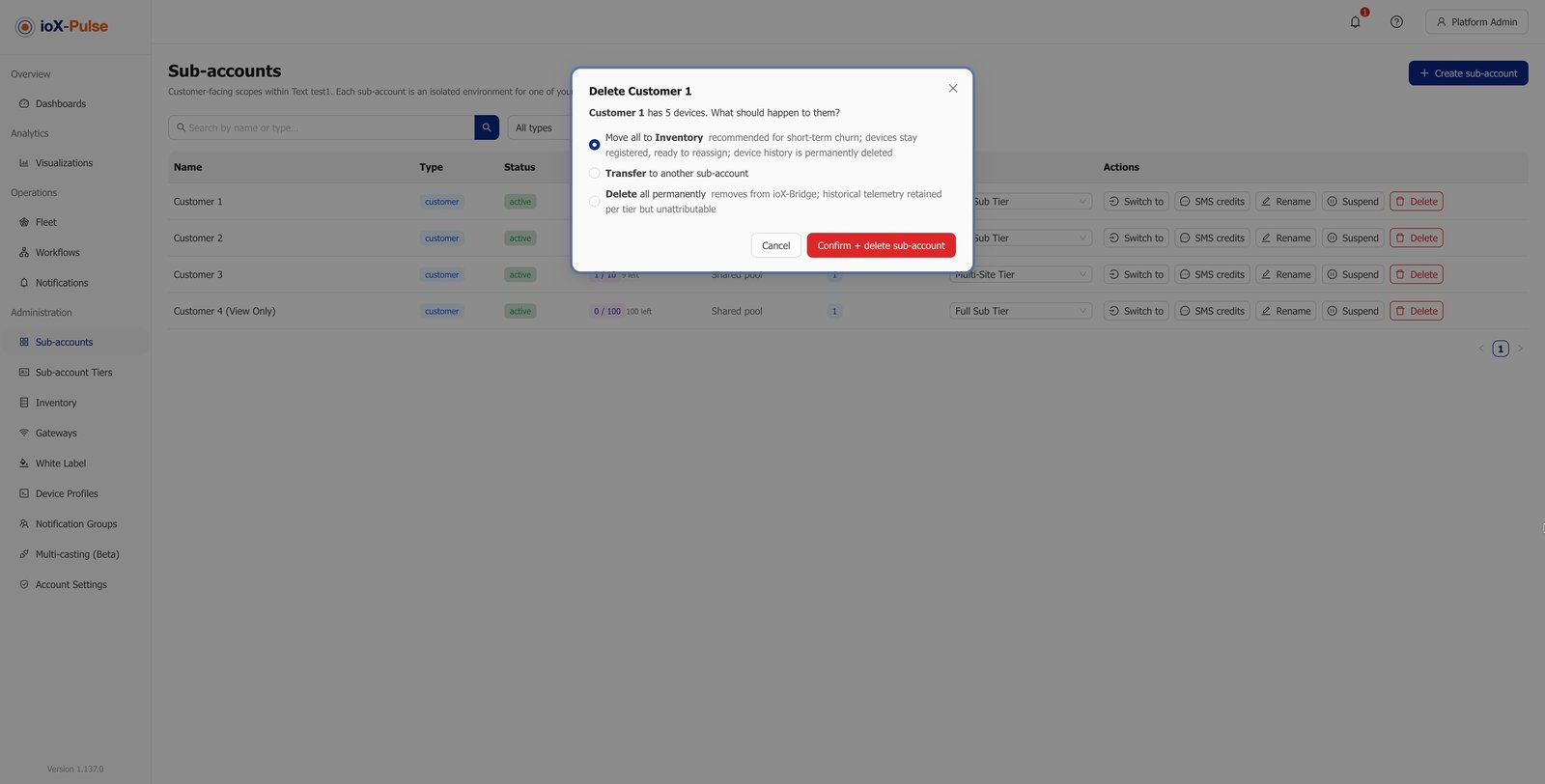
When you do delete an account that still has devices assigned, the platform will not let you leave them stranded. You choose what happens to them first:
The account is then closed, and its record is kept for audit rather than erased.