Notice it, then do something about it

IoT Alerts and Workflows

IoT Alerts and Workflows | ioX-Pulse | ioX-Connect
Notice it, then do something about it

Alerts That Act, Not Just Notify

An IoT alert is a rule that watches incoming readings and does something when a condition is met. In ioX-Pulse that rule is a workflow: a trigger, the conditions it has to pass, and the actions that follow. Write one against a device profile and every device of that type is covered, including the ones you deploy next month.

The actions are not limited to telling somebody. A workflow can mark the device so its state is visible everywhere it appears, send a command back to the device, fire a multicast group, or post the event to your own system. Noticing and responding are the same rule rather than two separate jobs with a person in between.

  • Write a rule once against a device type instead of once per device
  • Acknowledge an alarm and it stops telling you, without stopping the automated response
  • A per-device hourly ceiling means one failing sensor cannot swamp everybody's inbox
  • Alerts recover when the condition actually clears, not when a timer expires
  • Rules shipped with a device profile arrive switched off, so a new deployment does not alarm on day one
  • Send to a named list rather than a pile of addresses copied between rules

Trigger, conditions, actions

How a Workflow Is Built

A workflow is a small graph of connected nodes, and it reads in the order it runs.

TRIGGER
A reading arrives
temperature = 8.4 °C
CONDITIONS
Does it qualify?
temperature > 8
AND door_state = closed
THROTTLE · OPTIONAL
At most once per window
1 per 30 min
ACTIONS
What happens
notify · raise alarm · downlink

You read it left to right, and it runs left to right. Nothing happens in an order the diagram does not show.

Trigger

What starts the run. Usually a reading arriving from a device.

Conditions

What has to be true for the run to continue.

A threshold A state A combination of fields

Actions

What happens when it passes — one or several.

Pace it on purpose

Between the conditions and the actions you can place a throttle, which lets readings through its branch at most once per window. That is how you pace a rule deliberately rather than discovering later that it fired on every uplink for a fortnight.

QUALIFYING READINGS IN ONE WINDOW

One action fired, eleven readings absorbed by the throttle.

Some of our customers

Trusted by teams monitoring critical infrastructure

Tomra Full logo
ProFrac Logo
FTSI-logo
Consulmet logo
pacific_northwest_national_laboratory
Axium Logo
Urban Property Management_Logo
NetLink-logo-final
Cosway
USWS_BIG
Filtrine
Colt Energy
Northern Michigan University_Logo
WLS Lighting Logo

Write it once for a product line

Where a Workflow Applies

Every workflow has a scope, and the scope is what decides whether you are writing one rule or four hundred.

Device profile THE ONE THAT MATTERS

Every device of that type. Say once that every thermometer in a product line alerts above a threshold, and it applies to the ones you have not shipped yet.

TRAILER 04 TRAILER 11 TRAILER 27 TRAILER 38 SHIPS NEXT MONTH

Sub-account

Every device inside one customer's account, whatever type they are.

Device

One specific device, for the cases that genuinely do not generalize.
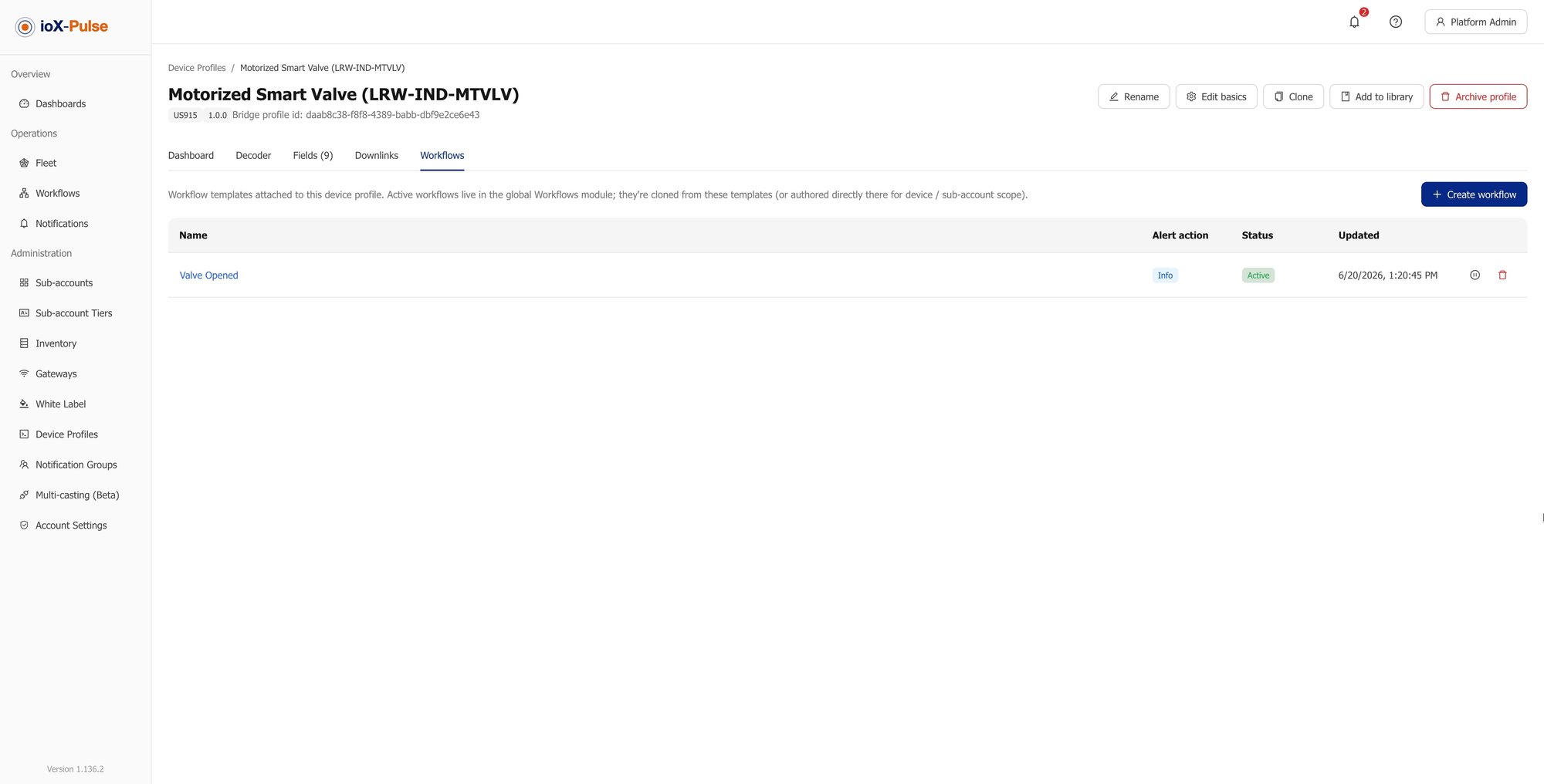
A profile-scoped workflow, with the field picker offering the profile's named fields.
Scope is set when you create the workflow. Everything downstream follows from it.

On a profile-scoped workflow the field picker offers that profile's fields, so you are choosing from the named readings the decoder produces rather than typing identifiers and hoping.

FIELD · FROM THIS PROFILE
temperature Number · °C
humidity Number · %
door_state Boolean
battery Number · V

The part nobody writes about

What Happens When a Sensor Goes Haywire

A sensor sitting exactly on a threshold will cross it hundreds of times in a night. A gateway going down takes a whole site with it. A fleet that has just been deployed alarms on everything at once. Anyone who has run monitoring has been woken by one of these, and it is the reason people stop trusting alerts. Four things stand between that and your team.

1

Acknowledge the alarm

An operator saying they have seen it. Emails, texts and in-app rows pause for that rule on that device while the condition stays true, but downlinks and multicasts keep running. Acknowledging silences the telling, not the doing.

2

Recovery on the condition

An alarm closes when the reading actually recovers, not when a timer runs out. The next trip is a new alarm, and notifications resume in full, so acknowledging today does not blind you tomorrow.

3

A per-device hourly ceiling

Once a device has fired a set number of times within a rolling hour, further notifications stop while the device's alert state and its automated actions carry on. One broken sensor cannot fill an inbox.

4

Templates that ship disabled

Rules shipped with a device profile arrive switched off. Somebody has to clone, review and enable them, which is what stops a freshly onboarded fleet alarming on everything the moment it comes online.
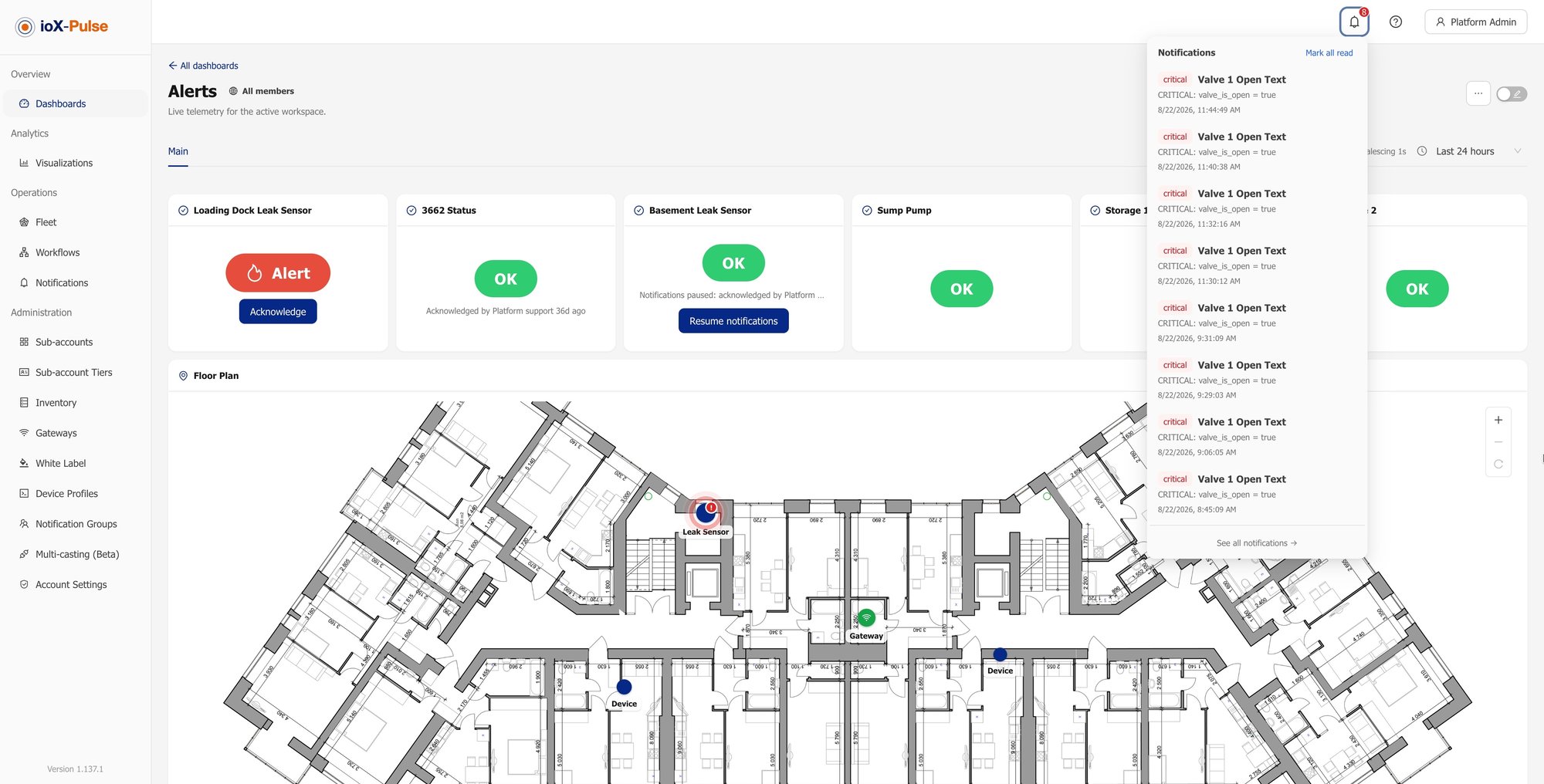
The global dashboard map with an active device alert.
One alarm on the map, not two hundred rows in an inbox. The alert state stays visible while the notifications are held back.
OUT OF THE BOXNone of this is a setting you have to discover after the first bad night. It is how the alerting behaves out of the box.

Bring a payload you already have

Try It With Your Own Payload

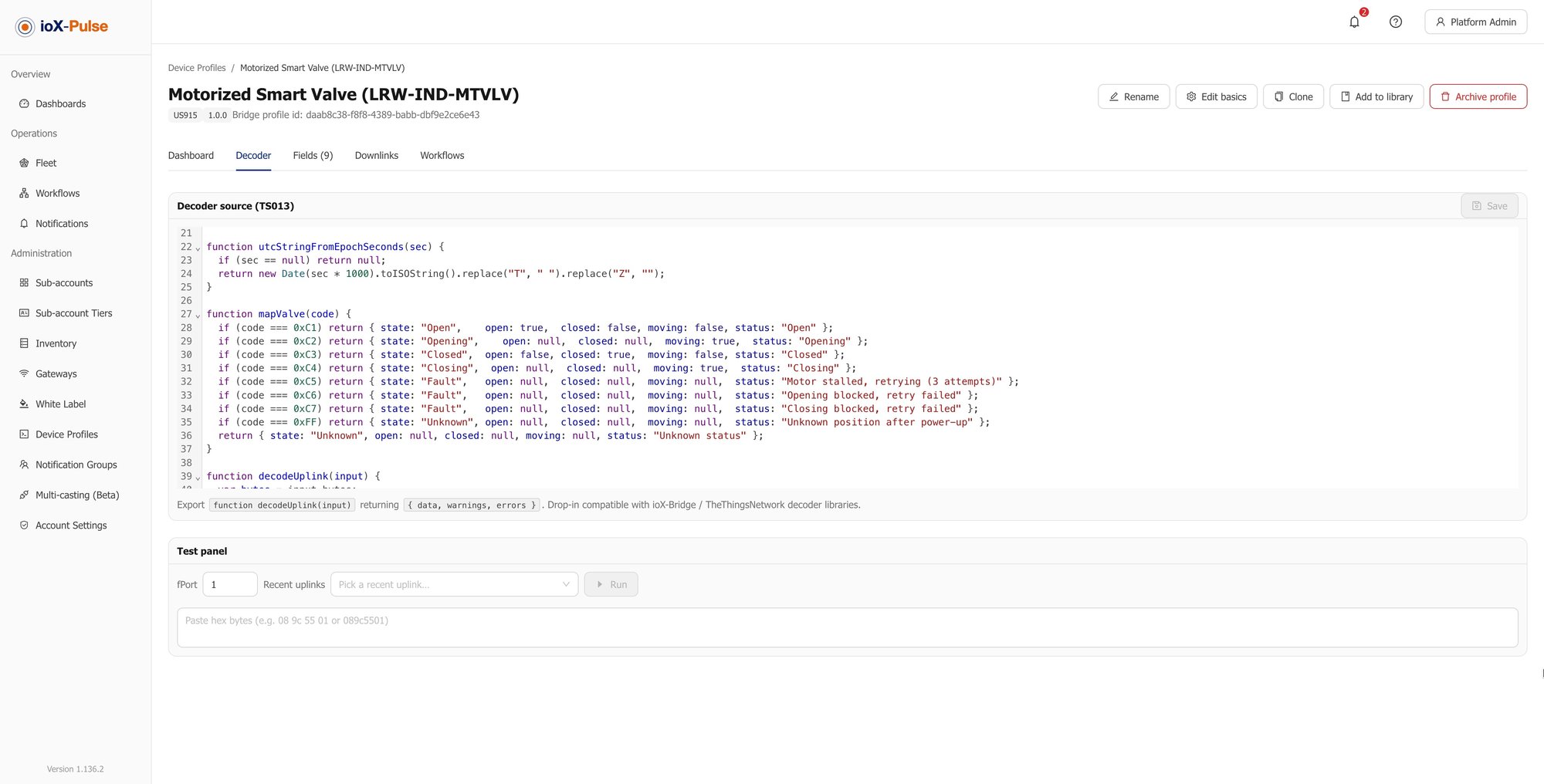
The fastest way to know whether this works for your hardware is to run one of your own uplinks through the decoder test panel.

Set Up Your First Alert

A free trial takes a card but does not charge it. Connect one device, set one threshold, and watch the whole loop run, from reading to alarm to recovery.

Start Your Free Trial

More than an email

What a Workflow Can Do

Telling somebody is one option among several, and often the least useful one at three in the morning.

Send email

To a named notification group, to individual addresses, or both.

Set the device's alert state

Marks the device as information, warning or alert. The state shows on the device list, on dashboards and in the device header, so anybody who looks sees it without having received the email.

Information Warning Alert

Send a downlink

Acts on the device. Close the valve, change the reporting interval, move the threshold.

Trigger a multicast group

Sends a command to a group of devices at once rather than one at a time.

Post to a webhook

Sends the event to a URL you provide, so it lands in your own system rather than only in ours.
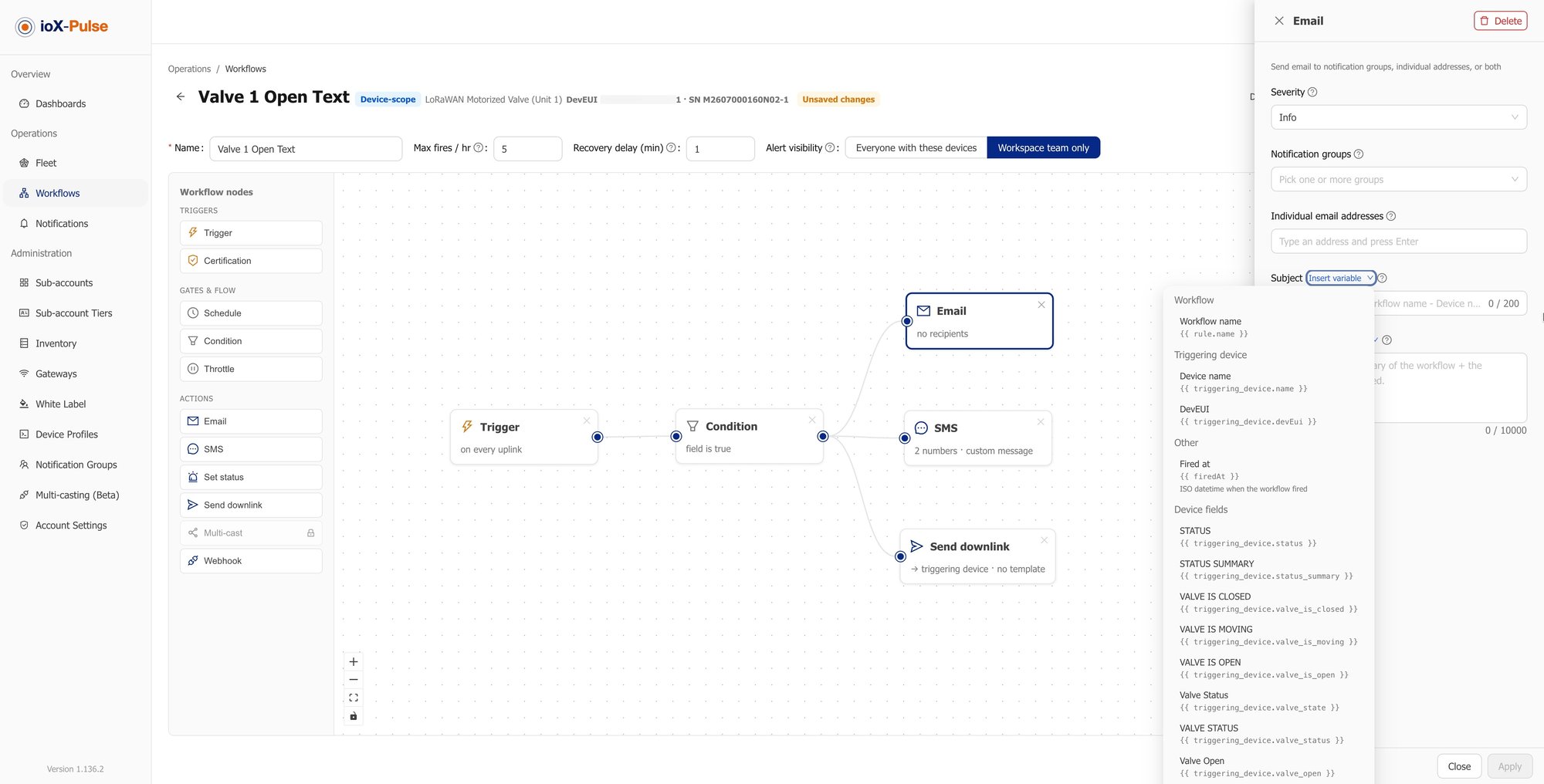
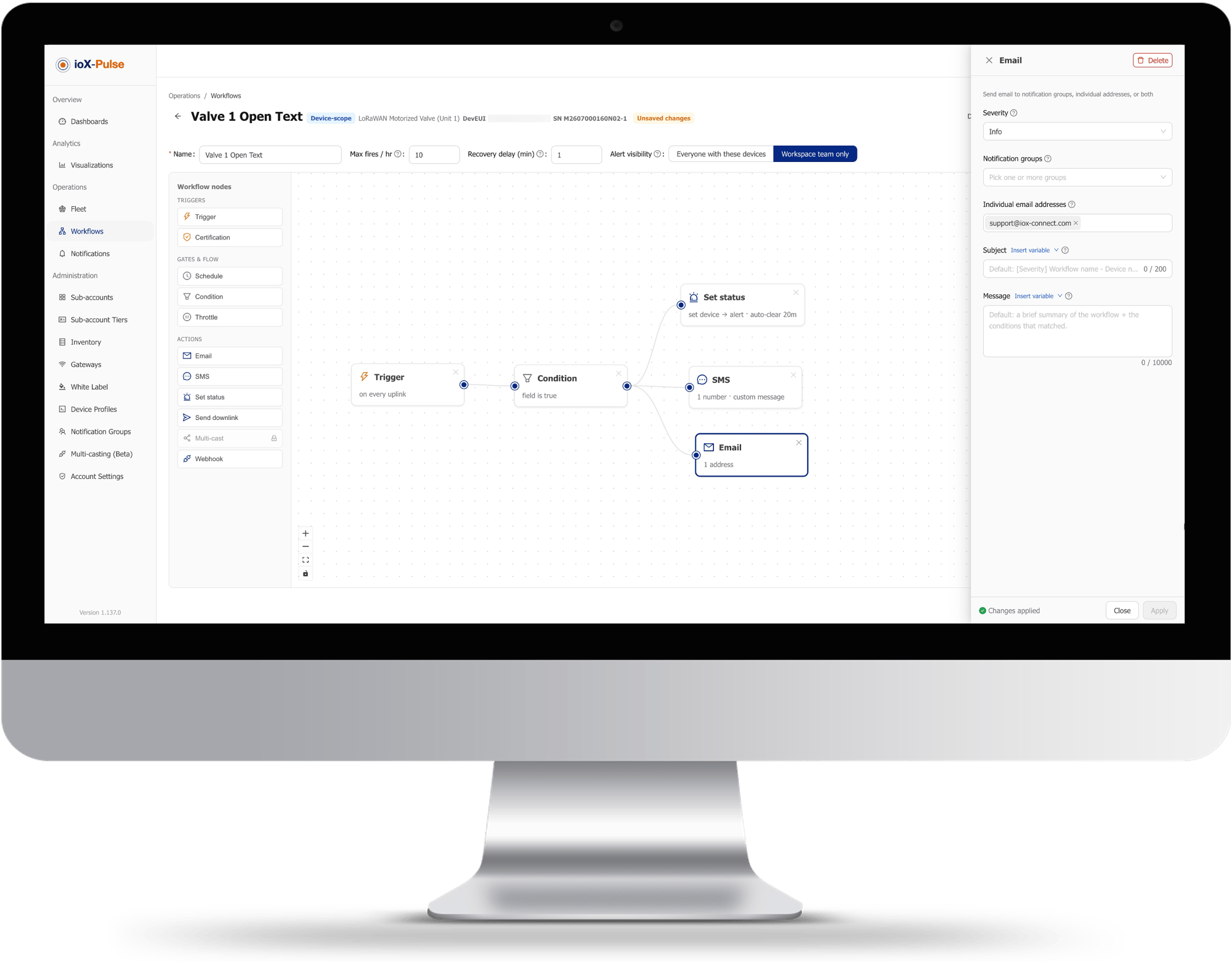
A workflow with its trigger, conditions and actions configured.
One workflow, several actions. Notify, mark the device and act on it from the same rule.
WORTH KNOWINGDownlinks, multicasts and webhooks depend on your plan and on what the device supports, and the set of available actions is still being extended.

Lists, not addresses

Who Gets Told, and How

Recipients are managed as named groups rather than typed into each rule. Change who is on call in one place and every rule that points at that group follows.

Scope

Groups stay inside their own scope

A rule sends to groups within its own scope, so a customer's rule reaches that customer's list and never reaches yours.

Exceptions

One-off addresses without a group

Individual addresses can be added directly on a rule for the occasional external recipient, without creating a group for one person.

Muting

Muting stops the telling, not the doing

A rule that fires while the customer has muted alerts still runs its automated actions, so muting affects what people see rather than what the platform does.

ONE PLACE TO CHANGEThe on-call list lives in the group, not in the rules. Update it once and every workflow pointing at it is already correct.

The honest version

Alerting Bolted On Against Alerting Built In

Most teams already have alerting of some kind, usually a script watching an export or a threshold in a chart tool. Here is the same work, done both ways.

The job A script or a chart tool alert With ioX-Pulse
Covering a new device of an existing type Add it to the rule, if somebody remembers Already covered, because the rule is on the profile
A sensor flapping on the threshold Everybody's inbox, until somebody mutes the rule for good Acknowledge it, and the automated actions keep running
Knowing an alert cleared Another alert, or nothing The alarm closes when the reading recovers
Acting on the device A person, a laptop and a second system A downlink in the same rule
Getting the event into your own system Build the integration Point the webhook at your endpoint
A new deployment going live Silence the rules, then remember to turn them back on Templates arrive disabled and are enabled deliberately
Changing who is on call Edit every rule Edit the group
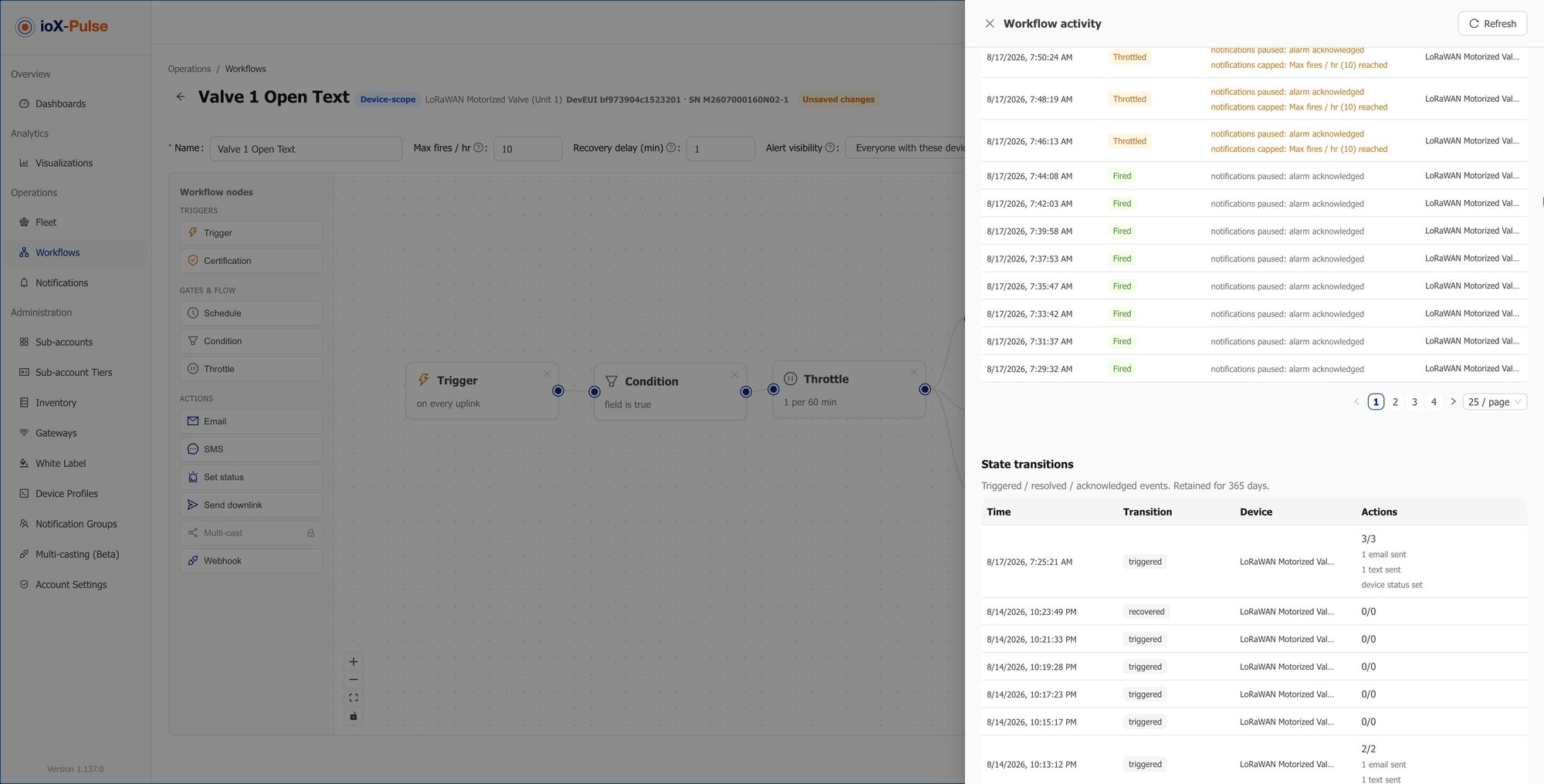
Workflow history on a device, showing each time a rule fired and what it did.
Every firing is on the device's own record. What tripped, when, and what the workflow did about it.
THE DIFFERENCEBolted-on alerting tells you something happened. Built-in alerting already did something about it.

Your customers, their rules

Letting Customers Author Their Own

By default alerting is yours to manage: customers see the alerts and you write the rules. That suits most service relationships, and it stops a customer building something that pages your team at two in the morning.

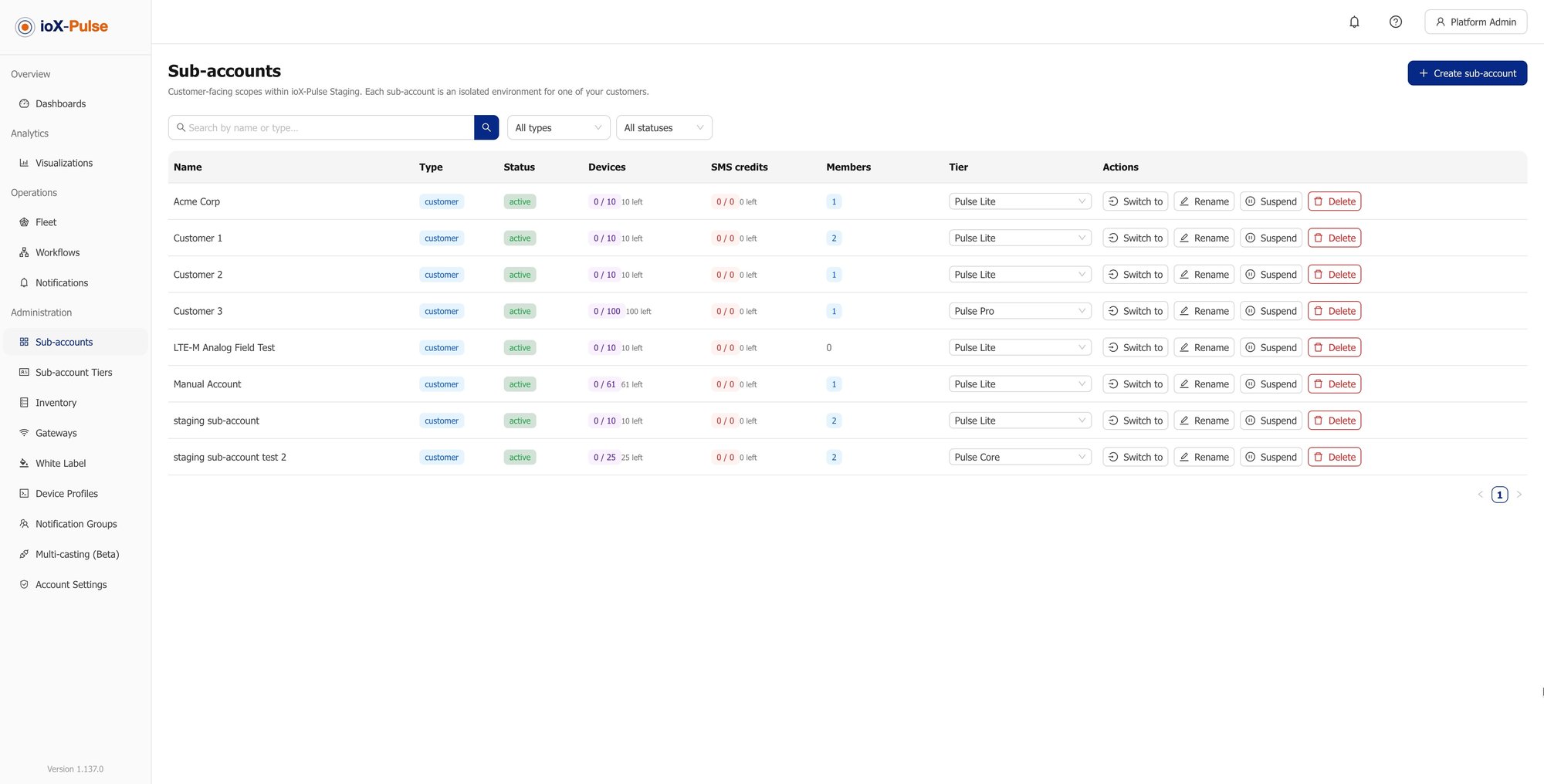
When you want to hand it over, you do it per customer through their tier rather than all at once.

DEFAULT

You write the rules

Customers see the alerts. Authoring stays with your team, which is what most service relationships want.

Partial handover

They adjust their own devices

Let a customer tune rules on their own devices while you keep the ones that matter.

Full handover

They author across the account

A customer can create rules across their whole account, building whatever their operation needs.

THE GUARDRAILWhatever they build only ever fires on their own devices.
Answers to the questions we get most

Common Questions About IoT Alerts

If your question is not here, email sales@iox-connect.com and you will get a straight answer

An alert is a rule that watches readings as they arrive and acts when a condition is met. In ioX-Pulse the rule is a workflow made of a trigger, the conditions it must pass, and the actions that follow, and it can be written against a device type so every device of that type is covered rather than being configured one at a time.

Three things. An operator can acknowledge the alarm, which pauses the emails and messages for that rule and device while the condition persists but leaves automated actions running. Each device has a ceiling on how many times it can fire in a rolling hour, after which notifications stop while the device's alert state continues to update. And rules shipped with a device profile arrive disabled, so a new deployment does not alarm on everything at once.


Yes. A workflow can set the device's alert state so it is visible everywhere the device appears, send a command back to the device, trigger a multicast group, or post the event to a webhook. Acting and telling are the same rule.


When the condition recovers, not when a timer expires. The alarm closes on the reading rather than on the calendar, and the next time the condition trips it is treated as a new alarm with notifications resuming in full.


Yes, through an outbound webhook action that posts the event to a URL you provide. That is how teams get alerts into a ticketing system, an on-call tool or their own application rather than only into email.


Only if you allow it, and you decide per customer. By default alerting is partner-managed: your customers see the alerts and you author the rules. Anything a customer does build only ever fires on their own devices.


One alert working this week

Ready to Stop Finding Out From Your Customer?

Start a free trial and set up one threshold on one device, or tell us what you need to be told about and we will show you how the rule would look.

LoRaWAN Payload Decoders & Device Profiles | ioX-Pulse

Device Profiles and Payload Decoders

global-dashboard-widget-list

IoT Dashboards and Widgets

Multi-Tenant IoT Platform | ioX-Pulse | ioX-Connect

Multi-Tenant IoT Platform